Blank Calendar Template: Free Printable and Editable Downloads for 2026
A blank calendar template is the simplest planning tool there is: a grid of dates with nothing filled in, so the structure does the work and you supply the plans. It prints on one page, it sits by the keyboard or on the fridge, and it holds anything from watering rotas and school runs to launch dates and gym sessions. Because it starts blank, the same file serves a community garden, a household, or a product team without a single setting to change.
The downloads here are everyday spreadsheet files, which changes what blank means. You can type directly into any cell, stretch a notes column when a day needs more words, filter to the dates that matter, and print the same sheet one month per page when paper is what you want. The samples below are lightly filled with events from a fictional community garden so you can see how a finished month reads; every other cell is yours.
Four blank calendar templates, free to download
Each version below is a working spreadsheet, not a blank grid with a title row. One sample month is lightly filled with events from a fictional community garden so you can see how a finished calendar reads, then you overwrite it with your own dates and plans. What you download is an everyday spreadsheet file that opens in all the usual tools and prints cleanly on one page. No email address required.
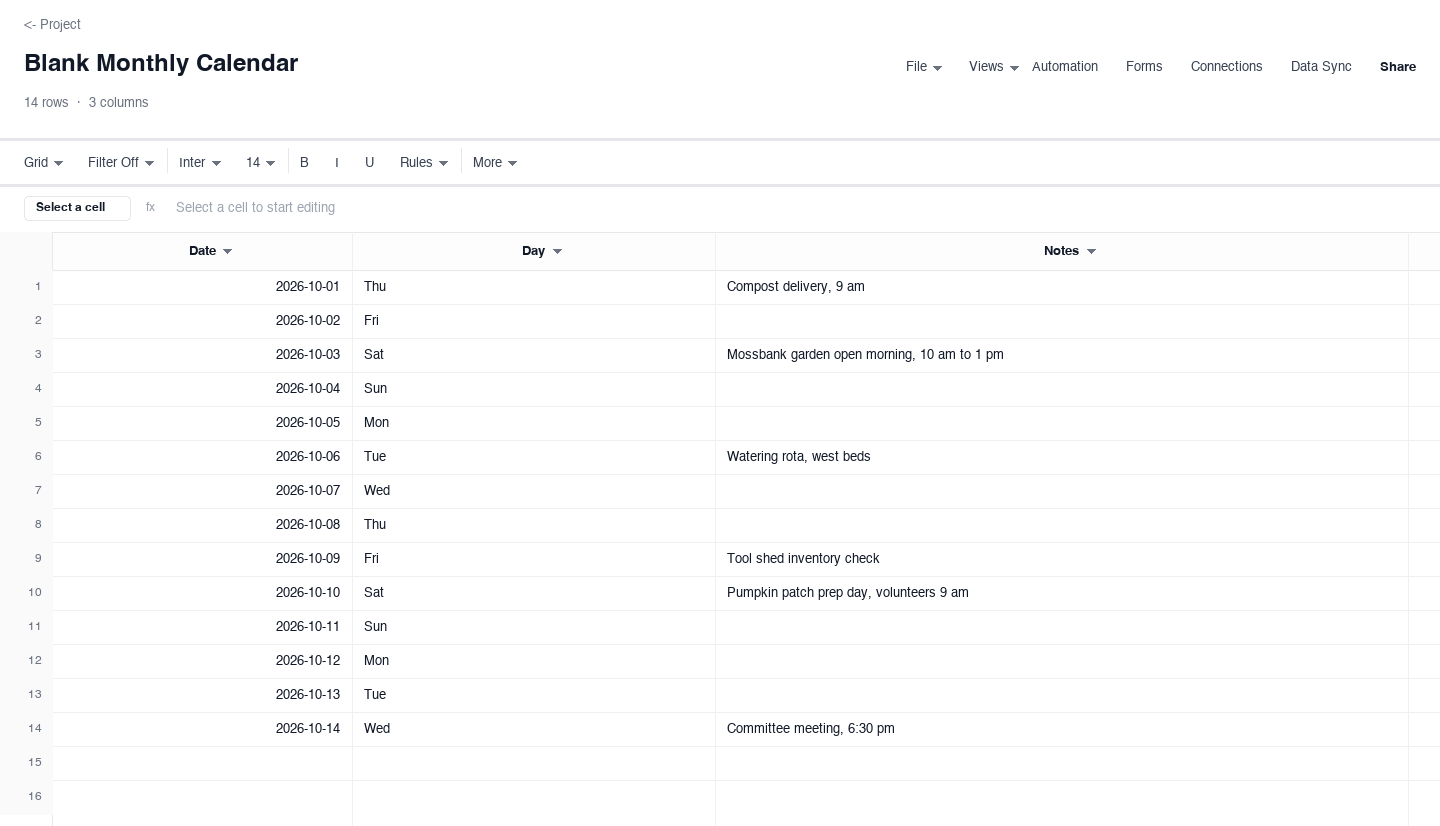
Blank Monthly Calendar
The monthly blank calendar gives you one row per day of the month, with a date column, a weekday column, and a notes column you can stretch as wide as the month demands. Use it when a wall grid is too small for real notes and a full planner app is too heavy: meal plans, shift rotas, study schedules, or a garden month like the sample. It prints on a single page, and the days you leave empty stay empty, which is the entire point of starting blank.
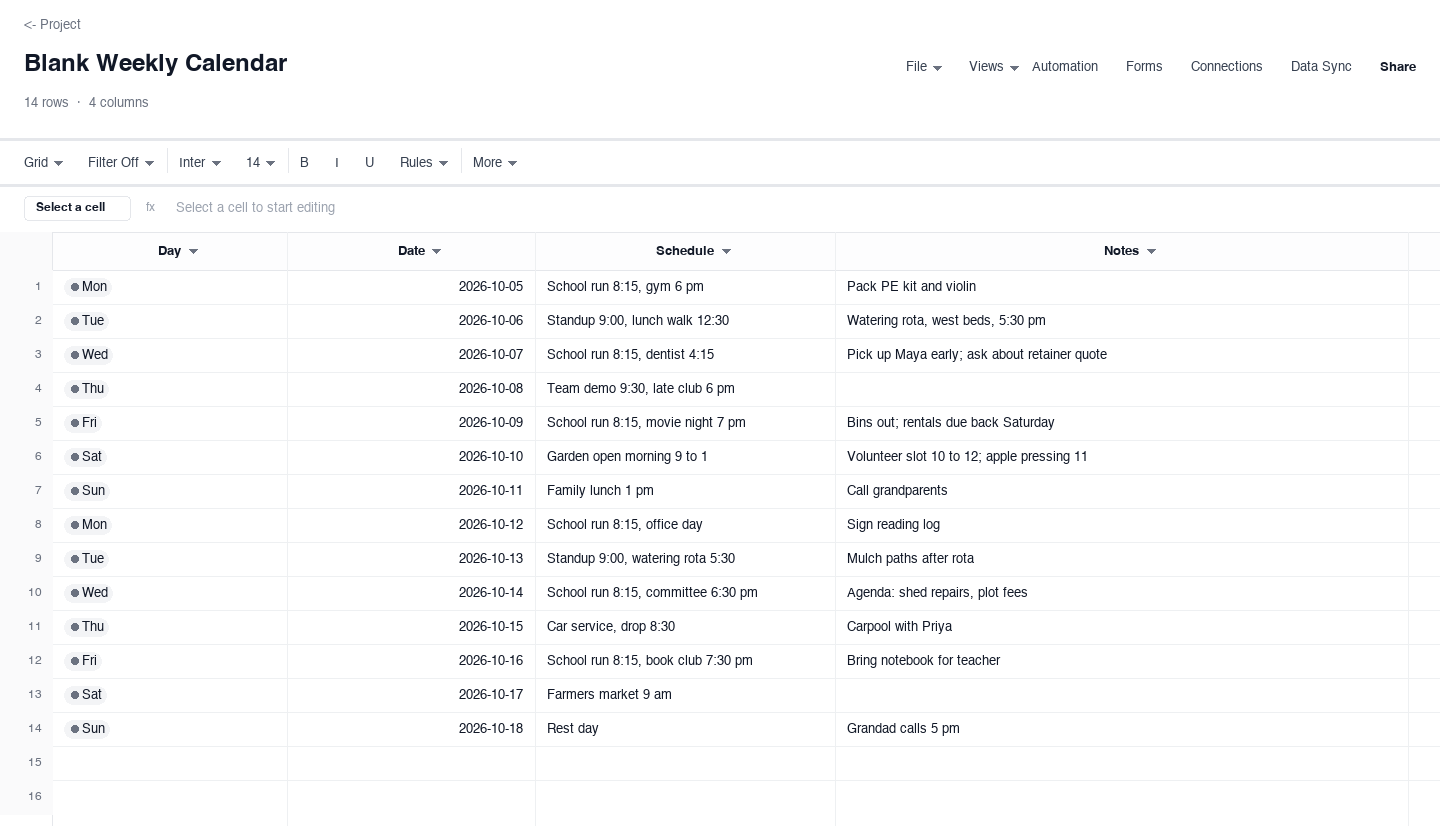
Blank Weekly Calendar
The weekly blank calendar puts seven days on one page, each with its date, a schedule column for timed commitments, and a notes column for everything else. Use it for the family logistics week, the school-run-and-appointments view, or any seven days that change shape by the hour. It is the version people print for the fridge door, because a week is the horizon most households actually plan against, and a month view cannot hold that much detail.
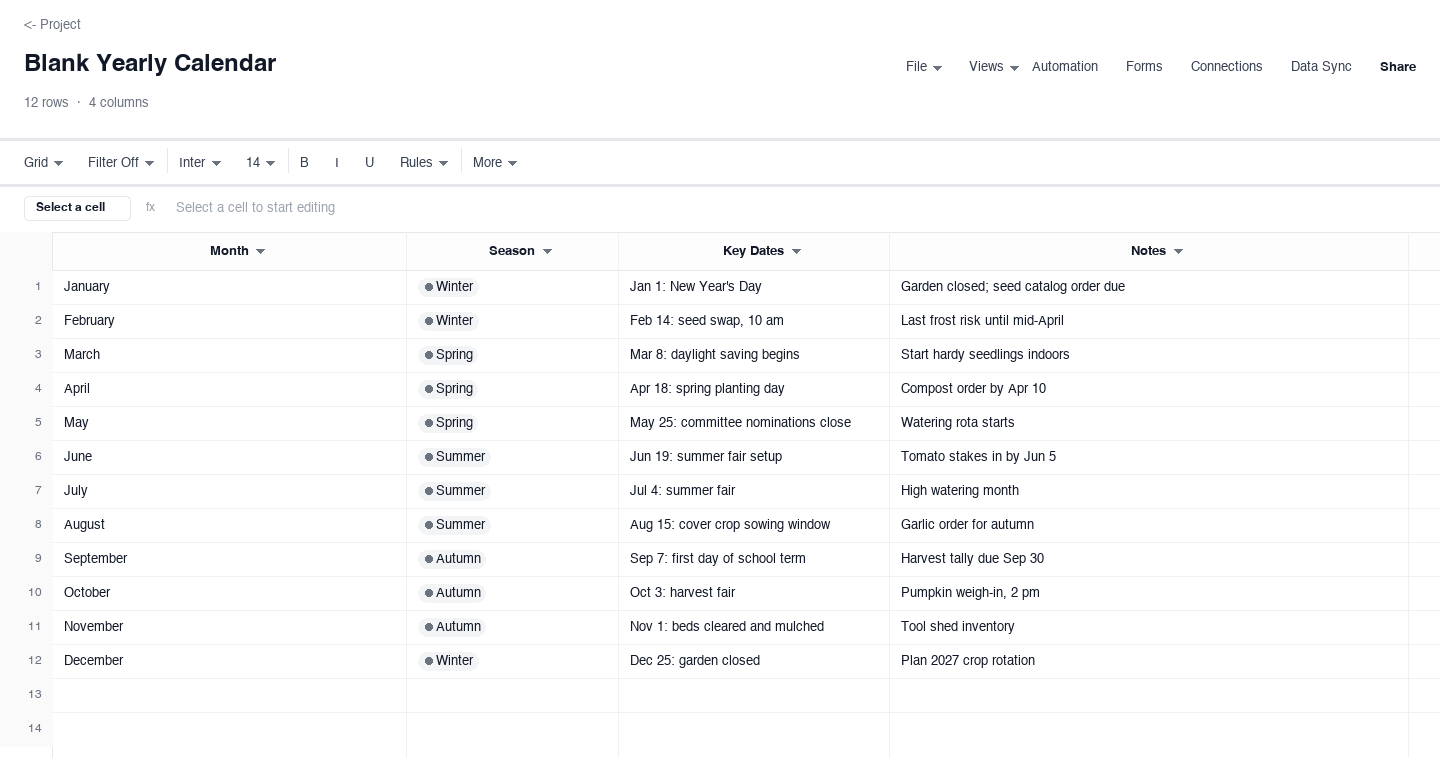
Blank Yearly Calendar
The yearly blank calendar fits all twelve months on one page, one row per month, each with a season marker, a key dates column, and room for notes. Use it as the year-at-a-glance sheet above a desk: renewals, school terms, frost dates, travel, launch windows. The sample rows carry a community garden year, but the structure is deliberately plain, so a fiscal year, an academic year, or a club season drops straight in without reformatting.
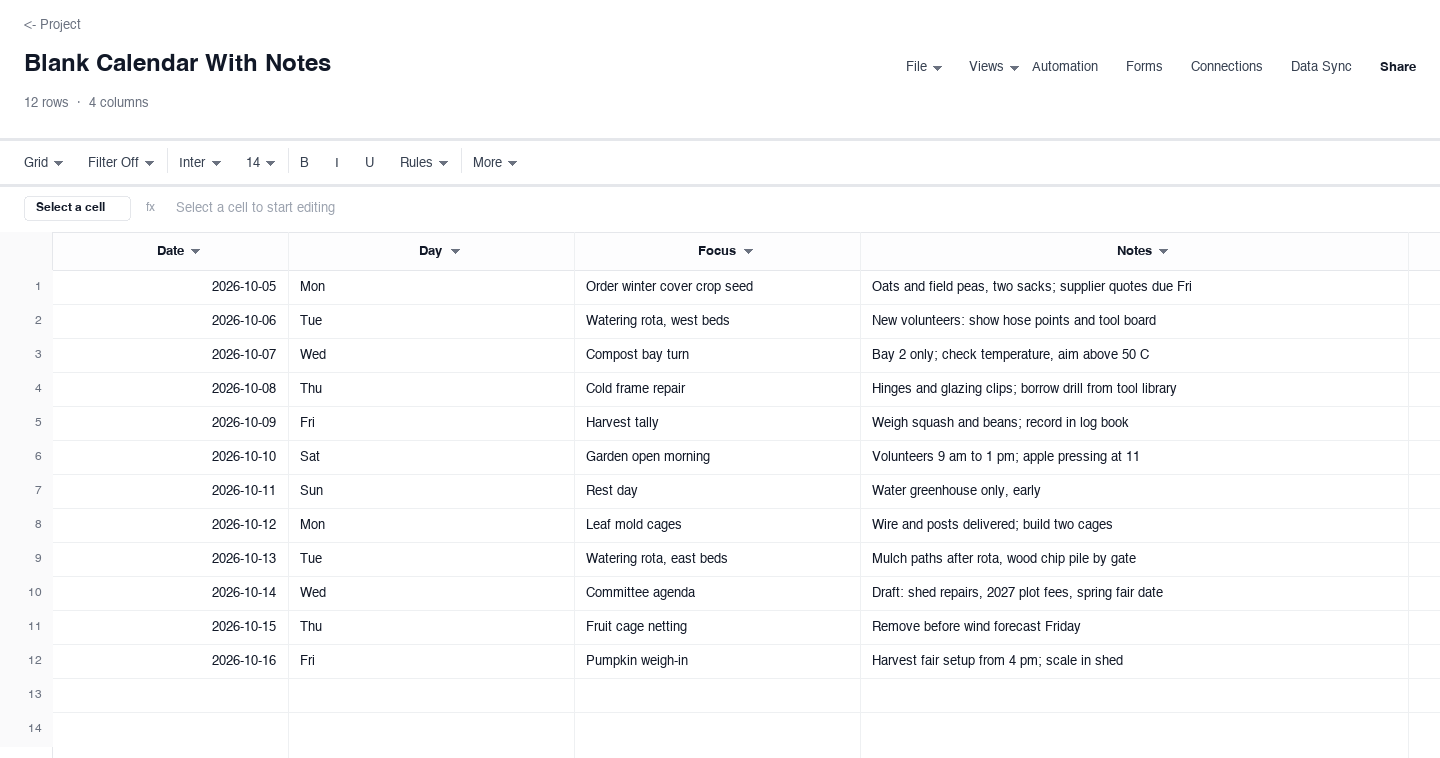
Blank Calendar With Notes
The with-notes blank calendar pairs each date and weekday with a focus field for the one thing that must happen that day and a wide notes field for the detail behind it. Use it for event weeks, trip itineraries, or a garden month where two words per date are not enough. The focus column is the discipline: one line per day that you can read at arm length when the week gets loud and the notes carry the context you would otherwise lose.
How to turn a blank calendar into one you actually use
Pick the layout that matches your planning horizon
The most common blank-calendar mistake is choosing by looks instead of by horizon. If you plan a month at a time, take the monthly version; if your life runs in school runs and meetings, take the weekly one; if you need to see frost dates, renewals, and deadlines together, take the yearly one. There is no wrong answer, but there is a wrong granularity, and a calendar at the wrong granularity gets abandoned within two weeks. Start with the view you naturally think in and let the others go.
Fill the anchor dates before anything else
Before you write a single plan, put in the dates that do not move: public holidays, term dates, renewals, fixed meetings, birthdays. These anchors are what make the calendar useful on day one, because every later entry you add gets placed relative to them. It also exposes collisions early: the committee meeting you scheduled for the same evening as the school concert is a problem you can fix in October, not on the day.
Write entries so future you needs no context
Six weeks from now, dentist will not tell you which child or which practice, and fair setup will not tell you what to bring. Write entries as instructions to a tired version of yourself: dentist Maya 4:15, pickup early, retainer quote. The extra ten seconds per entry is what lets you glance at the sheet and act instead of reconstructing your own plan from memory every time.
Keep one source, and print from it
A calendar dies the day you maintain two of them. Keep the spreadsheet as the single source, edit it there, and print fresh pages when you want paper on the wall. If a handwritten note goes up on the printed copy, transfer it back to the file the same day. That habit takes under a minute and it means the printout and the file never disagree about which evening the compost delivery lands.
Review the month ahead on a fixed day
A blank calendar only stays accurate if you look at it on a schedule. Pick a recurring slot, Sunday evening works for most households and first-thing Friday for most teams, and spend ten minutes moving what slipped, adding what appeared, and deleting what no longer matters. This is the entire maintenance cost of paper-style planning, and it is exactly the habit that keeps the calendar worth printing next month.
Share one calendar instead of maintaining three
Families and small teams run into the same failure mode: everyone keeps their own calendar and the overlaps get discovered by accident. Put one copy of the sheet somewhere everyone can open it, agree on who edits it, and let the print copies be read-only views of the shared source. One calendar with a few smudges beats three calendars that each claim a different version of the same evening.
2026 calendar template: print one month per page
If you searched for a 2026 calendar template you can print, the monthly version above is the one to start with. It carries every date of the 2026 calendar, one row per day, and it is built to print a single month on a single page: set the print area to that month, choose fit to one page wide, and the sheet comes out the way it looks on screen. Print twelve pages and you have a 2026 printable calendar by month, without hunting through twelve separate files.
Printing per month also lets you mix paper and spreadsheet without either one going stale. Keep the working copy in the file, print the current month for the wall, and reprint the page any time the plan changes, which it will. When January 2027 rolls around you duplicate the sheet, retitle it, and the structure you liked carries forward with the dates reset.
Prefer an Excel calendar you can keep editing?
Every download on this page is an .xlsx file, so an Excel calendar is exactly what you are getting. Open it, type your events into the cells, and the grid behaves like any spreadsheet: you can sort by date, widen the notes column, add your own columns for cost or owner, and build a second tab next to the calendar for the detail that will not fit on one page. The sample month shows the intended shape and the rest is deliberately empty so there is nothing to delete before you start.
Because the file is a real spreadsheet and not a locked form, it also travels. You can upload it to a shared drive, open it in free office suites, and send it to someone who uses a different tool than you do, and the dates and notes arrive intact. That portability is the practical difference between an Excel calendar and a printable PDF: one is a finished picture, the other is a working plan you can still change.
Frequently asked questions
Which blank calendar layout should I choose: monthly, weekly, or yearly?
Match the layout to the span you actually plan over. The monthly version suits meal plans, rotas, and any month where each day gets a line of notes. The weekly version suits households and hectic stretches where a day holds several timed items. The yearly version suits seeing renewals, terms, frost dates, and deadlines on one page, where each month gets a row rather than a grid. When in doubt, start monthly: it is the easiest to keep current, and you can print a week or a year from it later.
Can I print the 2026 calendar one month per page?
Yes, that is exactly what the monthly version is shaped for. Open the file, select the rows for the month you want, set that as the print area, and choose fit to one page wide in the print settings. Each month prints as a single page with one row per day and the notes column beside it, which is the classic fridge-door layout. Print all twelve months and you have a full printable 2026 calendar without assembling a dozen separate downloads.
Is there an Excel version of the blank calendar template?
Every download on this page is an .xlsx file, so the Excel version is the default, not an extra. The file opens in any spreadsheet tool, keeps the dates as real dates you can sort and filter, and leaves the cells editable so you can add columns, stretch the notes field, or build extra tabs. If a colleague or family member uses a different tool, send them the same file: it imports cleanly rather than arriving as a picture they cannot edit.
How do I add my own events and holidays to the blank calendar?
Click the cell next to the date and type. The sheets are deliberately unprotected, so there are no forms to learn and no fields to unlock. Start with the fixed dates that do not move, like public holidays and term dates, then layer your own commitments around them. If you want recurring items, like a weekly watering rota, the fastest route is to fill the first occurrence and copy it down the rows for that weekday, then edit the exceptions by hand.
Is this blank calendar template really free?
Yes. The downloads are free, there is no email gate, and you do not need an account to use the files. You click, the spreadsheet downloads, and it is yours to edit, print, duplicate for next year, and share with your household or team. The page is kept current for the 2026 calendar year, so the sample dates you see in the screenshots match the file you actually get.
Can I share the calendar with my family or team?
Yes, and sharing one copy is the habit that makes a shared calendar actually work. Upload the file to a shared drive, or open it in a collaborative spreadsheet tool, and give everyone the same link instead of mailing copies around. Agree on who edits and who just reads, since two people typing in the same cell at once is the only real hazard. The printed page on the wall then becomes a read-only view of the living file, not a second calendar that can drift out of date.
Run it live instead of in a file.
The downloads above are yours either way. In Wisegrid the same template becomes a working sheet with owner contacts, status dropdowns, reminders, and dashboards. 7-day free trial, no credit card required.