Work Order Template: Free Downloads and a Dispatch Guide for 2026
A work order template is the document that turns a reported problem into an assigned job: the asset that failed, the issue in plain language, a priority, the person assigned, a due date, and a status everyone can check. Without it, requests live in text messages and voicemail, and the urgent leak gets fixed after the cosmetic patch because nobody ranked the two against each other.
It is not a work request and it is not an invoice. The request is the raw ask, and the work order is the approved, assigned version of it. The invoice, or the billing entry, comes after the work is verified done. A well-built work order template carries every field that chain needs: asset and issue for the technician, priority and due date for the dispatcher, hours and materials for costing, and a closed date for the permanent record.
Four work order templates, free to download
Each version below is a working spreadsheet, not a blank grid with a title row. The fields are pre-filled with realistic example content from a fictional property management company and a municipal parks department so you can see how a finished work order reads, then overwrite it with your own details. What you download is an everyday spreadsheet file, compatible with all the usual tools. No email address required.
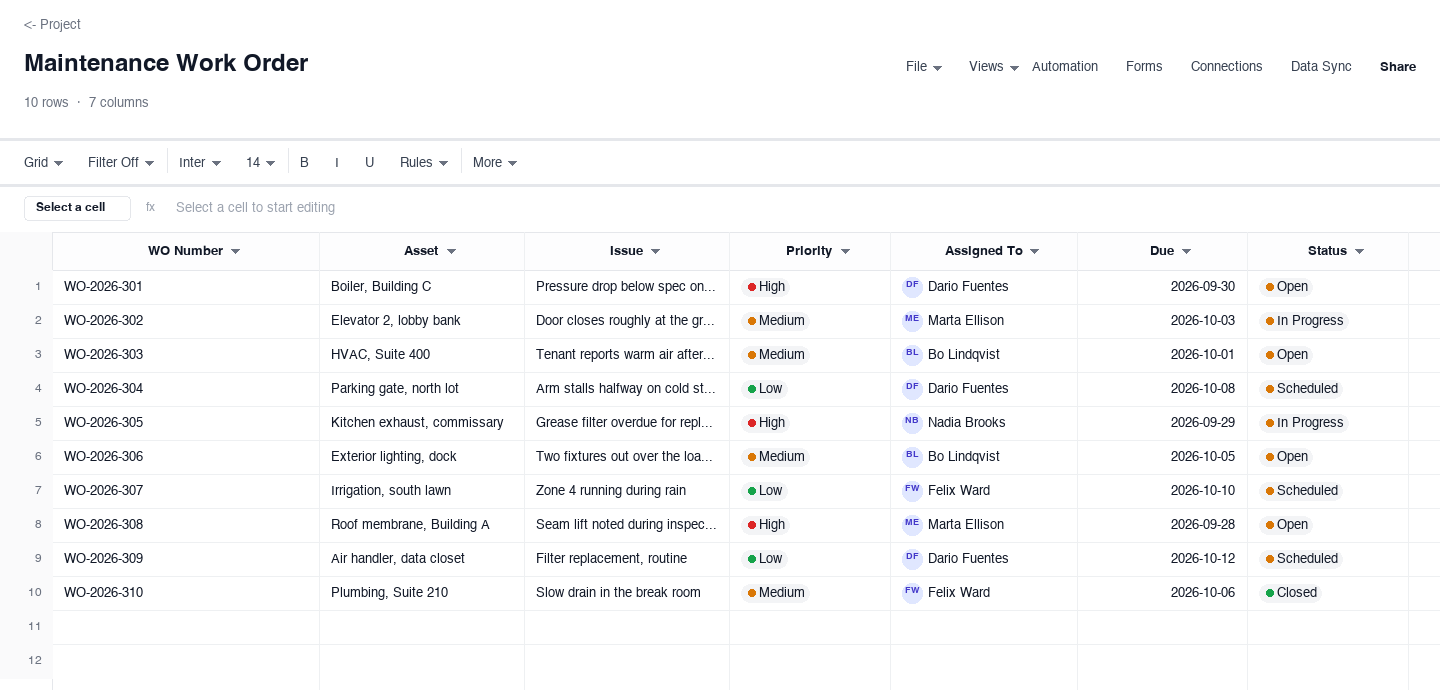
Maintenance Work Order
The maintenance work order is the everyday version for property and facility teams: an asset, the issue, a priority, the assigned technician, a due date, and a status that moves from open to in progress to done. Use it when requests arrive from many tenants and need ranking before they are routed. The priority column earns its keep during a cold snap or a storm week, because it forces every new request into the queue by urgency instead of by who called most recently.
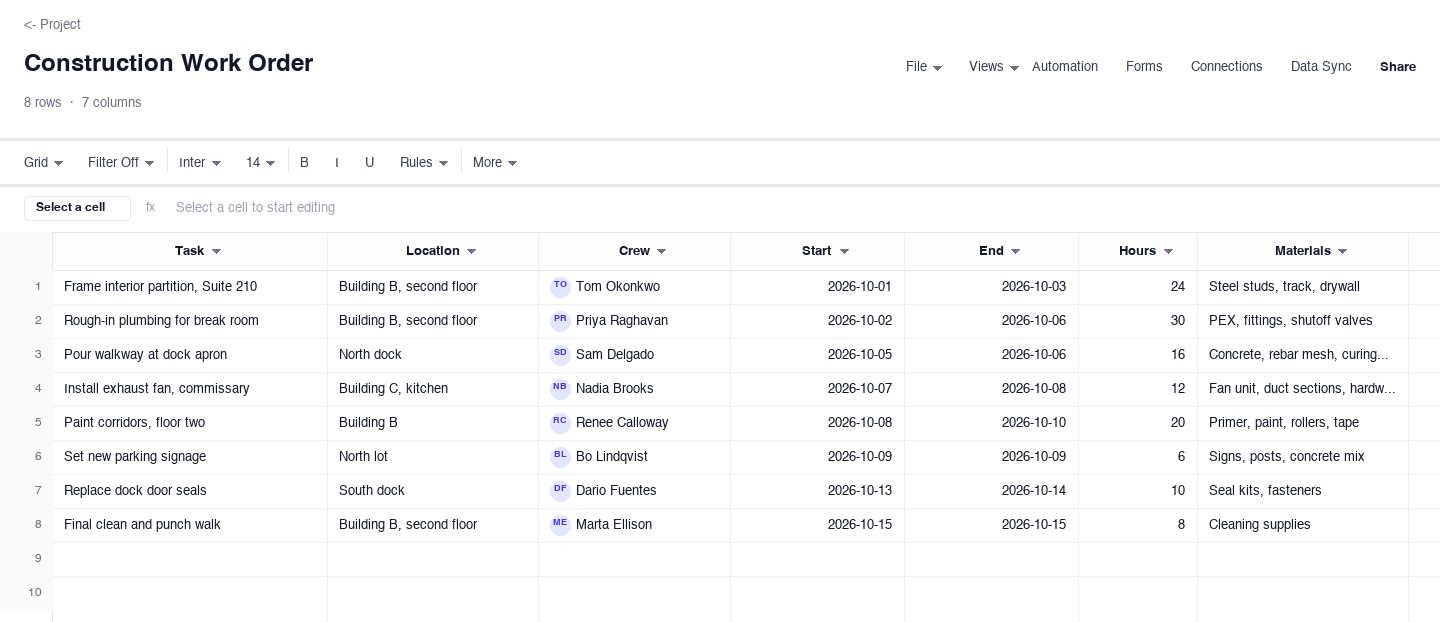
Construction Work Order
The construction work order suits crews doing defined tasks at specific sites: the task, the location, the crew, estimated hours, the materials to bring, and a status. Use it when a supervisor dispatches several crews in a day and each crew needs its scope, site, and material list in one place. The materials column earns its keep at the morning load-out, because a crew that reads it does not burn an hour driving back for the forgotten anchor bolts.
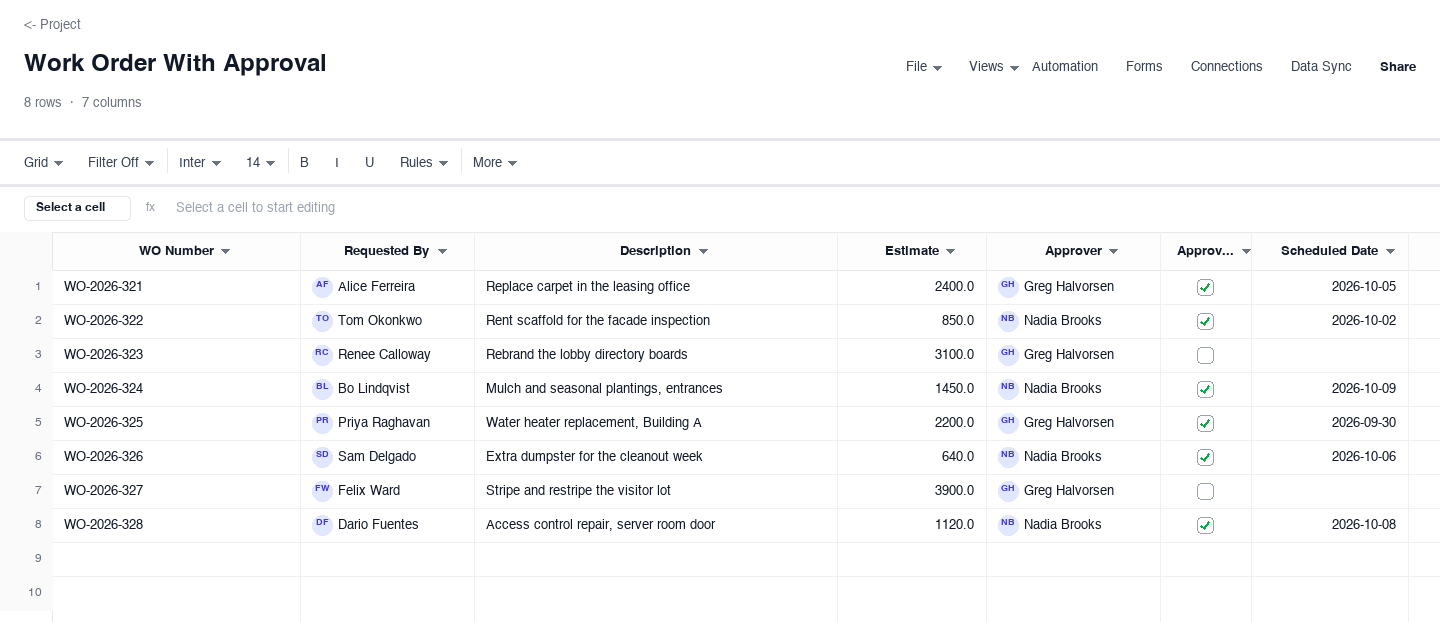
Work Order With Approval
The work order with approval is for spending that needs a yes before it happens: the requester, a description, a cost estimate, a named approver, an approved flag, and the scheduled date. Use it when repairs carry real money, like a roof membrane or a boiler, and an owner or director must authorize the spend first. The approved checkbox earns its keep at month-end, because finance can filter approved rows straight into the accrual without chasing verbal sign-offs.
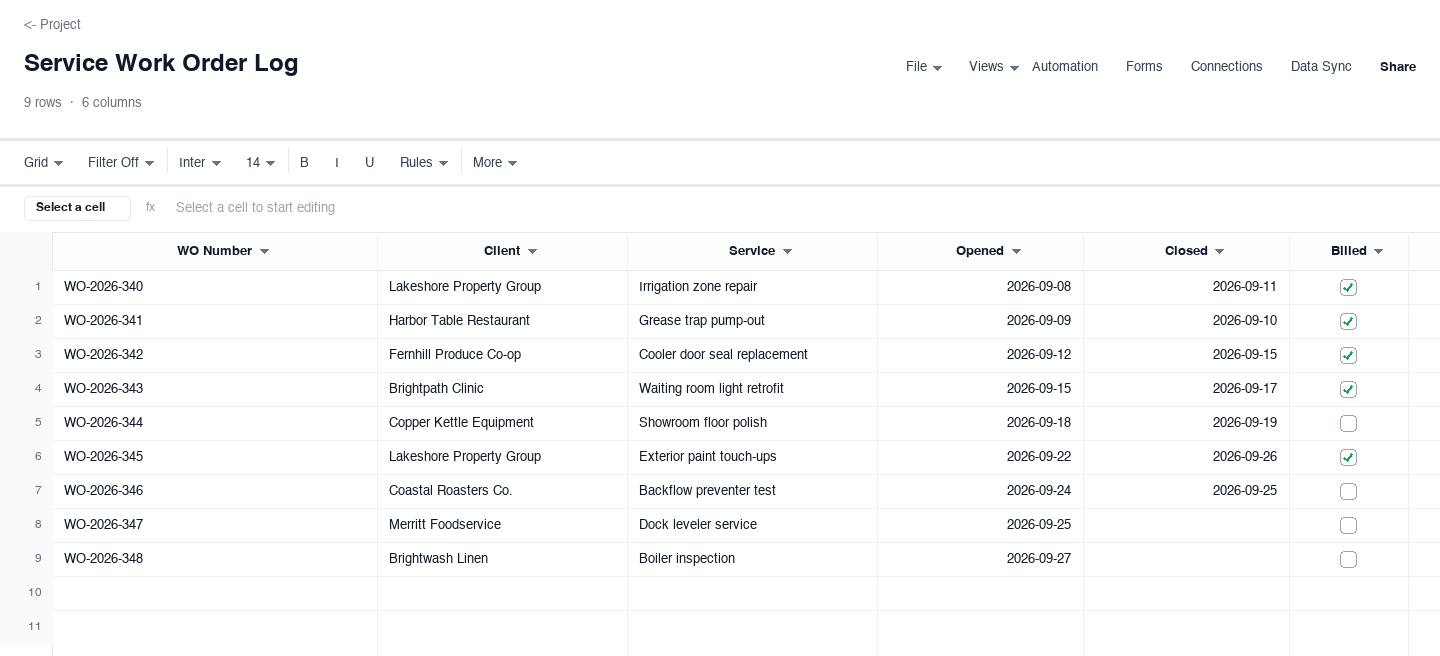
Service Work Order Log
The service work order log is the record-keeping version for work already moving: a work order number, the client, the service performed, opened and closed dates, and a billed flag. Use it when a small team closes many jobs and needs to see which are ready to invoice. The billed checkbox earns its keep when the bookkeeper asks which closed jobs are still unbilled, because one filter answers in seconds instead of an afternoon comparing two lists.
How to run work orders that close on time
Capture every request as a work order, not a message
A request that stays in a text message or a voicemail is a request that gets forgotten the moment the day gets busy. The rule is simple: however an ask arrives, it becomes a row with an asset, an issue, and a requester before the conversation ends. Tenants and departments stop reporting problems they believe vanished into a void, and the template earns trust purely by existing, because every reported issue now has a number and a visible status.
Rank by priority the moment the request lands
Set the priority when the row is created, not when the dispatcher finally gets to it. A leak above a finished ceiling is urgent the day it is reported, and it does not become less urgent because three cosmetic jobs were logged first. Agree the definitions once: urgent means active damage or a safety issue, high means a loss of function, medium means something degrading, low means cosmetic. The dropdown then does the arguing for you all year.
Assign one accountable name, never a team
Every work order gets exactly one person whose job it is to make the fix happen, even when three people touch the work. Two names on a row is functionally no names, because each assumes the other is tracking it. The assignee does not have to turn every wrench: they own the status, the due date, and the handoff. When a row stalls, the dispatcher has one door to knock on, and the weekly review has one name next to every overdue job.
Write due dates the technician can actually see
A due date buried in a scheduling system the field staff never open is a wish, not a deadline. The due date belongs on the row the technician works from, next to the issue they are fixing. Set it with a realistic buffer: parts lead time plus the realistic job duration plus one day for the surprise that always shows up. Promising a same-day fix on a part that ships in five days trains everyone to ignore the column entirely.
Record hours and materials at the job, not at the truck
Cost data reconstructed from memory on Friday is fiction by the following Wednesday, and fiction is what makes future estimates wrong. Ten seconds at the job, typing hours and the materials actually used into the row, is what separates a work order from a to-do list. Over a quarter those rows accumulate into the real cost of maintaining each asset, which is the number that tells you when to repair and when to replace.
Close the loop with a closed date and a billed flag
A work order is not done when the wrench stops turning. It is done when the status says done, the closed date is entered, and the billed flag reflects reality. Unbilled closed work is revenue you delivered and forgot to collect, and it compounds quietly in businesses that close dozens of small jobs a month. The log version above carries the billed checkbox for exactly this, so month-end is a filter, not an archaeological dig.
Need a work order template in Word or PDF?
Many organizations still route work orders as a Word form or a printed sheet, because the technician signs off in the field or the finished document attaches to a vendor or tenant file. The downloads above are .xlsx files by design, because the priority, status, and billed columns compute and filter cleanly, but they convert without drama: set the print area and export or print to PDF for the paper copy most signatures still happen on.
A practical split is to keep the spreadsheet as the live dispatch board, then print or export one copy per job for signatures and the file cabinet. The work order number ties every version together, so the paper in the truck and the row on the dispatcher screen always refer to the same job, and neither has to be retyped to match the other.
Frequently asked questions
What is the difference between a work order and a work request?
A work request is the raw ask, reported by anyone, in any state of completeness. A work order is the committed, assigned version of that ask: it has a priority, one accountable assignee, a due date, and a status. The discipline is in the handoff, because requests arrive messy and the template is what turns them into work a dispatcher can route and a technician can execute. Skipping the step is how reported problems vanish.
How do I prioritize work orders when everything feels urgent?
Define priority by consequence, not by volume of complaint. Urgent means active damage, a safety issue, or a resident without a critical service like heat or water. High means a function lost, like one elevator down in a two-elevator building. Medium means something degrading that will become expensive later, and low means cosmetic. The priority dropdown in the maintenance version forces every request into one of those buckets the day it lands, which ends the loudest-voice wins problem.
What information should a work order include?
At minimum: the asset and its location, the issue in plain language, the requester and their contact, a priority, one assigned name, a due date, and a status. For costing you want hours worked and materials used, and for the record you want opened and closed dates. Spending above a threshold belongs on the approval version, with the cost estimate, the named approver, and the approved flag on the same row as the work, not in a separate email thread.
When does a work order need approval before work starts?
Set a dollar threshold and make it policy. Many property managers approve routine repairs under a few hundred dollars automatically and require a named approval above it, because verbal yeses evaporate the moment an owner questions the invoice. The approval version above puts the cost estimate, the approver, and an approved checkbox on the same row, so the authorization travels with the work and month-end accruals take minutes instead of days of back-and-forth.
How do work orders connect to billing?
The work order is where billable facts are born: hours, materials, and the date the work closed. If those fields are filled at the job, billing becomes a filter on the log rather than a reconstruction project. The service-log version above carries a billed checkbox so closed-but-unbilled rows surface in one view, which matters in any business that closes many small jobs a month, because unbilled closed work is revenue delivered and quietly forgotten.
What is the difference between a work order and a purchase order?
They move in opposite directions. A purchase order is sent by the buyer to a supplier to authorize a purchase: what to deliver, at what price, by when. A work order is issued by the requester to their own team or to a contractor to authorize work: what to fix or build, where, and by when. In a property business the same event can touch both: a purchase order buys the replacement part, and a work order sends the technician to install it. Keeping the two documents numbered separately, and referencing the purchase order number on the work order when a job consumes bought materials, is what lets costing and receiving reconcile later without a forensic search.
Run it live instead of in a file.
The downloads above are yours either way. In Wisegrid the same template becomes a working sheet with owner contacts, status dropdowns, reminders, and dashboards. 7-day free trial, no credit card required.