Turn client onboarding into a project factory
If you onboard clients, you rebuild the same project over and over: the same task list, the same kickoff dashboard, the same reminders, rebuilt slightly worse each time. This guide turns that into a factory: perfect the project once, save it as a blueprint, stamp out a governed copy per client in under a minute, and then go one step further and let new clients request their own onboarding through a form, gated by your approval.
Build the onboarding project once, properly
Everything a blueprint stamps out comes from a real project, so invest in one gold copy. Build the project you wish you had for every client:
- An Onboarding tasks sheet with typed columns (owner contacts, start and end dates, a status dropdown), so it drives a Gantt view and reminders.
- A Stakeholders sheet for the client-side contacts.
- Conditional formatting for overdue work, and an automation or two (a kickoff reminder, an approval on the contract row).
- A small dashboard: percent complete, open tasks by owner, days to kickoff.
None of this is throwaway setup. Sheets, columns, column formulas, conditional formatting, view configurations, automations, and the dashboard all travel with the blueprint, and land working in every copy.
Save it as a blueprint with profile fields
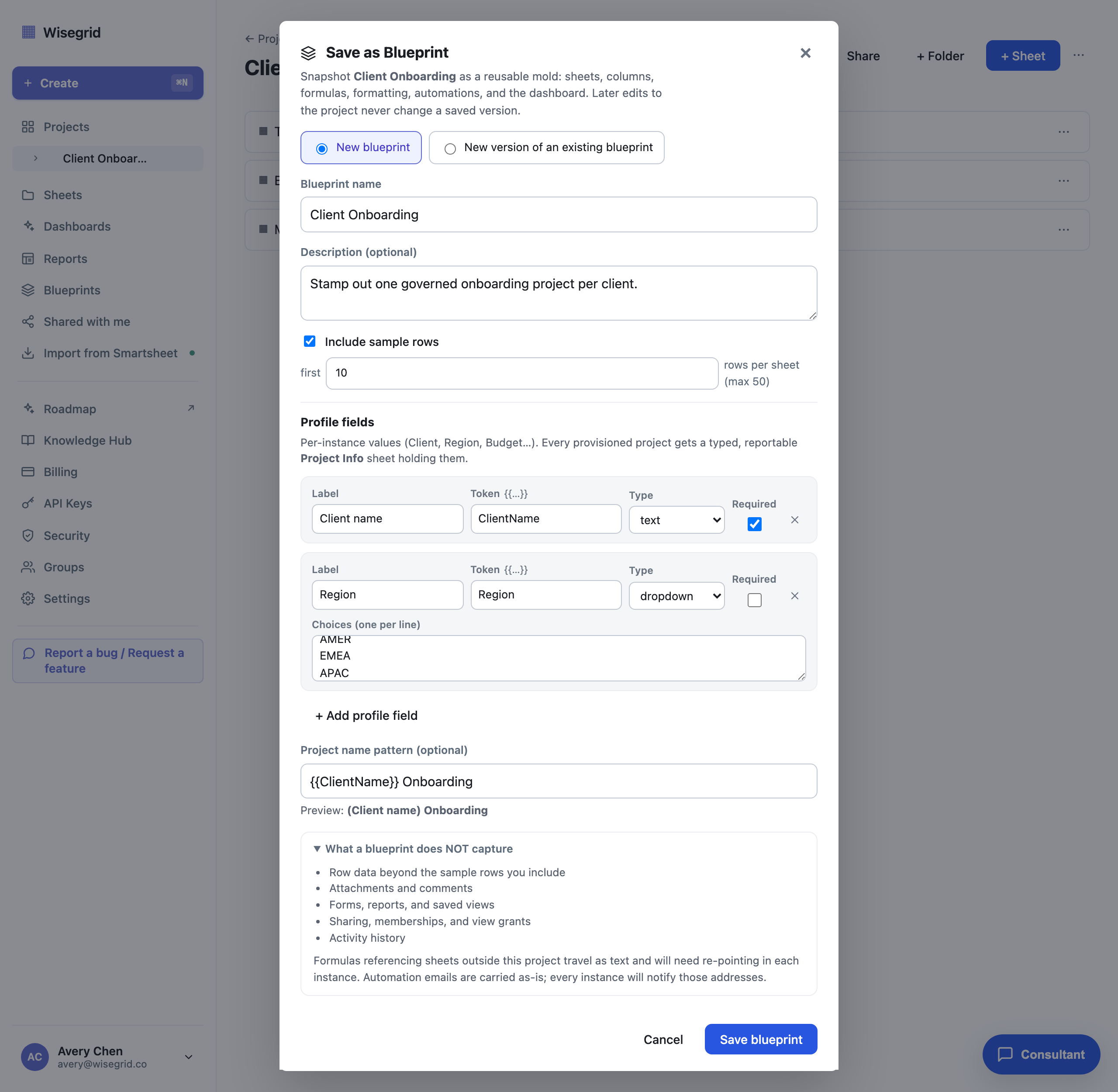
Open the project menu (the kebab in the project header) and choose Save as Blueprint. Name it, then define profile fields: the typed per-client values every instance will collect, for example Client (text), Region (dropdown), Budget (number), and Kickoff (date). You can define up to 20, each optionally required.
Give it a name pattern like Onboarding - {{Client}} and every instance names itself consistently. Before you confirm, a fidelity receipt lists exactly what is captured and what is not (rows and attachments stay behind, unless you opt in to a small sample of starter rows per sheet), so nothing is silently dropped.
Saving blueprints and provisioning from them is included.
Provision a project per client
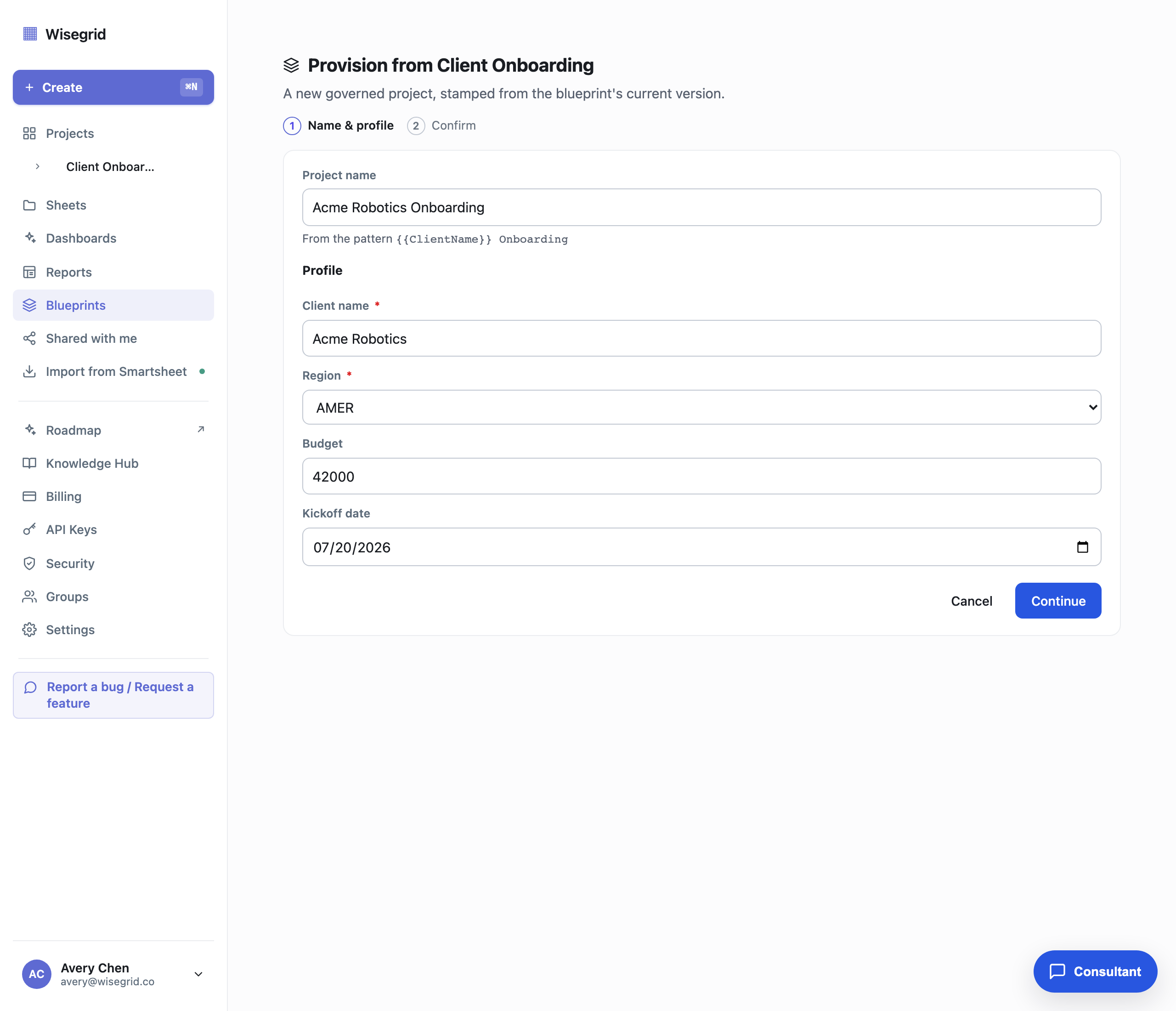
New client signed? Click Provision on the blueprint (or From a Blueprint in the Create menu). The wizard asks for the profile values, resolves the project name from your pattern as you type, and builds the whole project in under a minute.
What lands is not a hollow copy: formulas bind to the new sheets, conditional formatting applies, views are configured, automations are live, the dashboard is populated, and the profile values are written into a Project Info sheet with one typed column per field. Provisioning is idempotent, so a retry can never leave you a half-built duplicate.
The blueprint's detail page keeps a registry of every instance: which version it came from, when, and its current status. Ten clients in, you can still answer "which onboardings came from v2?" in one glance.
Let clients request onboarding through a form
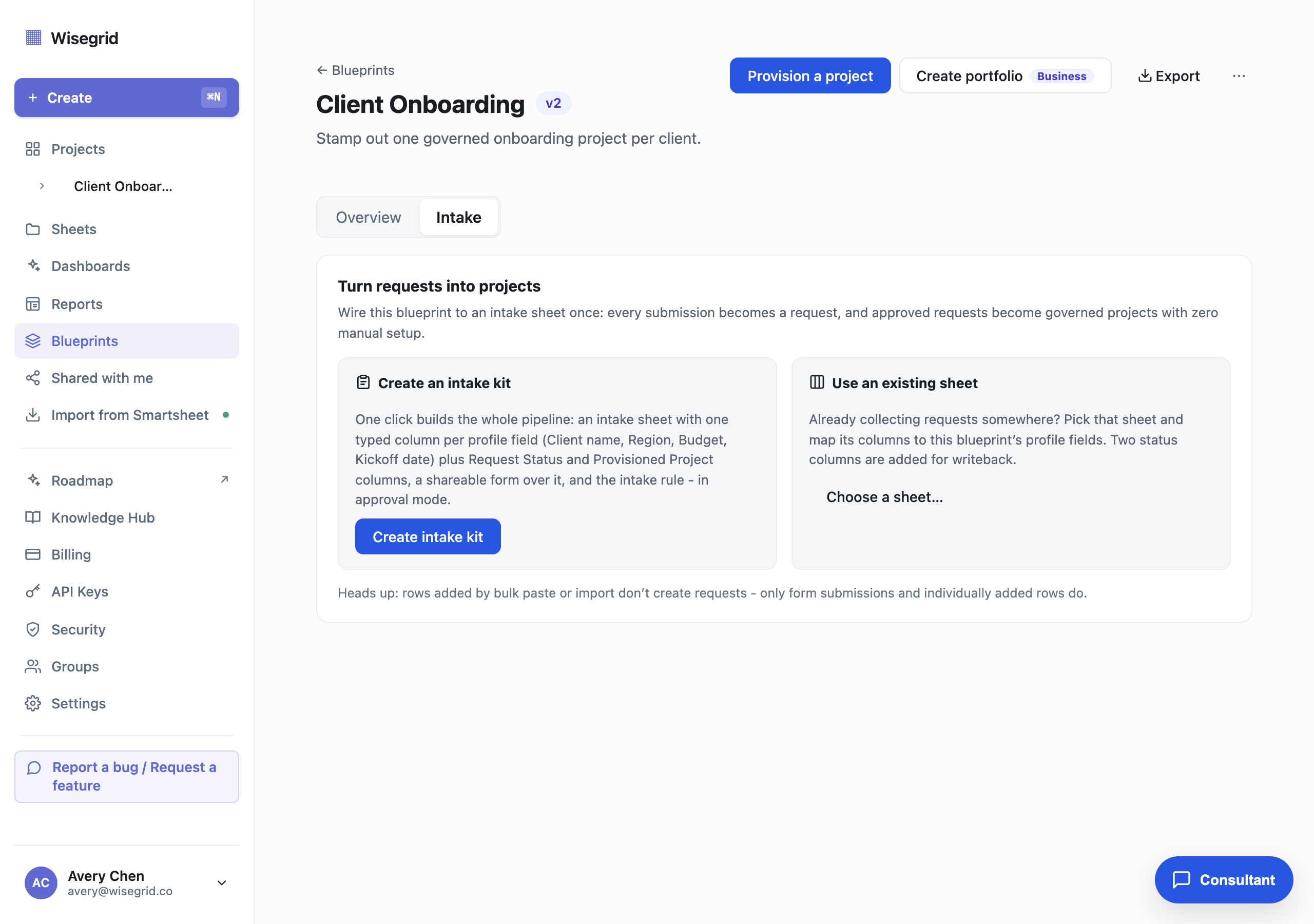
Manual provisioning still needs you to click the button. The intake step removes that. Open the blueprint's Intake tab and click Create intake kit. One click builds the whole pipeline: an intake sheet with one typed column per profile field plus Request Status and Provisioned Project writeback columns, a shareable public form over it, and the intake rule, wired in approval mode.
Put the form link in your proposal template or your website. Every submission becomes a provisioning request; the form is customizable in the form builder like any Wisegrid form. If you already collect requests on an existing sheet, you can map its columns to the profile fields instead.
Intake, including the approval queue and auto mode, is included.
Approve from the queue, or go hands-free
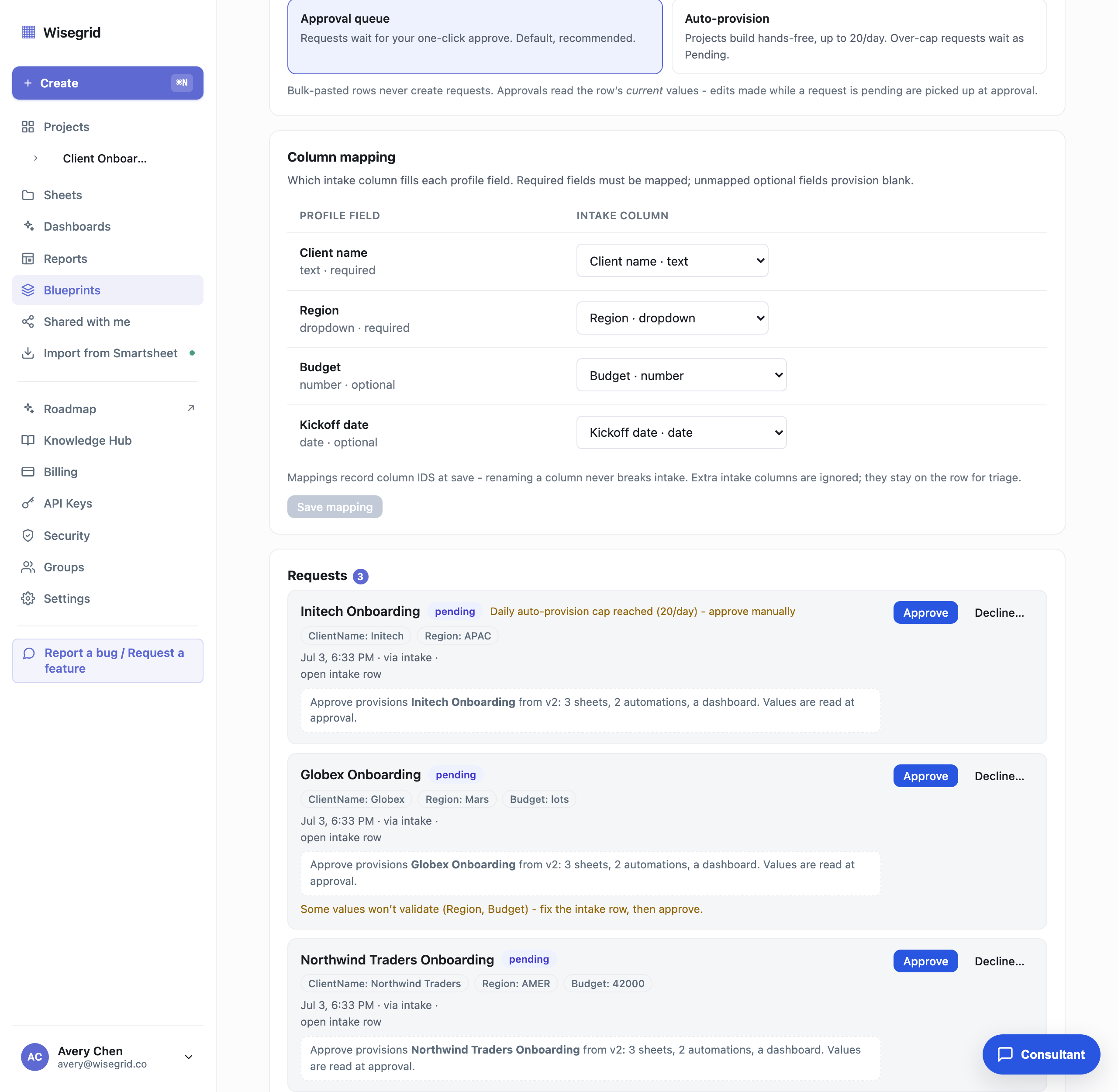
By default nothing provisions without you. Requests land in an approval queue as Pending, each showing the submitted profile values, where it came from, and an impact line stating exactly what Approve will build. Approve provisions immediately, exactly like the wizard. Decline flips the request's status with an optional reason. A failed build shows honestly with a Retry button, and retrying can never double-build.
When you trust the pipeline, switch the mode to Auto-provision: requests build themselves, usually within a minute of submission. The switch asks for explicit confirmation and enforces a guardrail of at most 20 auto-provisioned projects per blueprint per day; requests beyond the cap are never dropped, they degrade to Pending and wait for you. You own every auto-provisioned project, never the anonymous submitter.
Optional: one report across every client
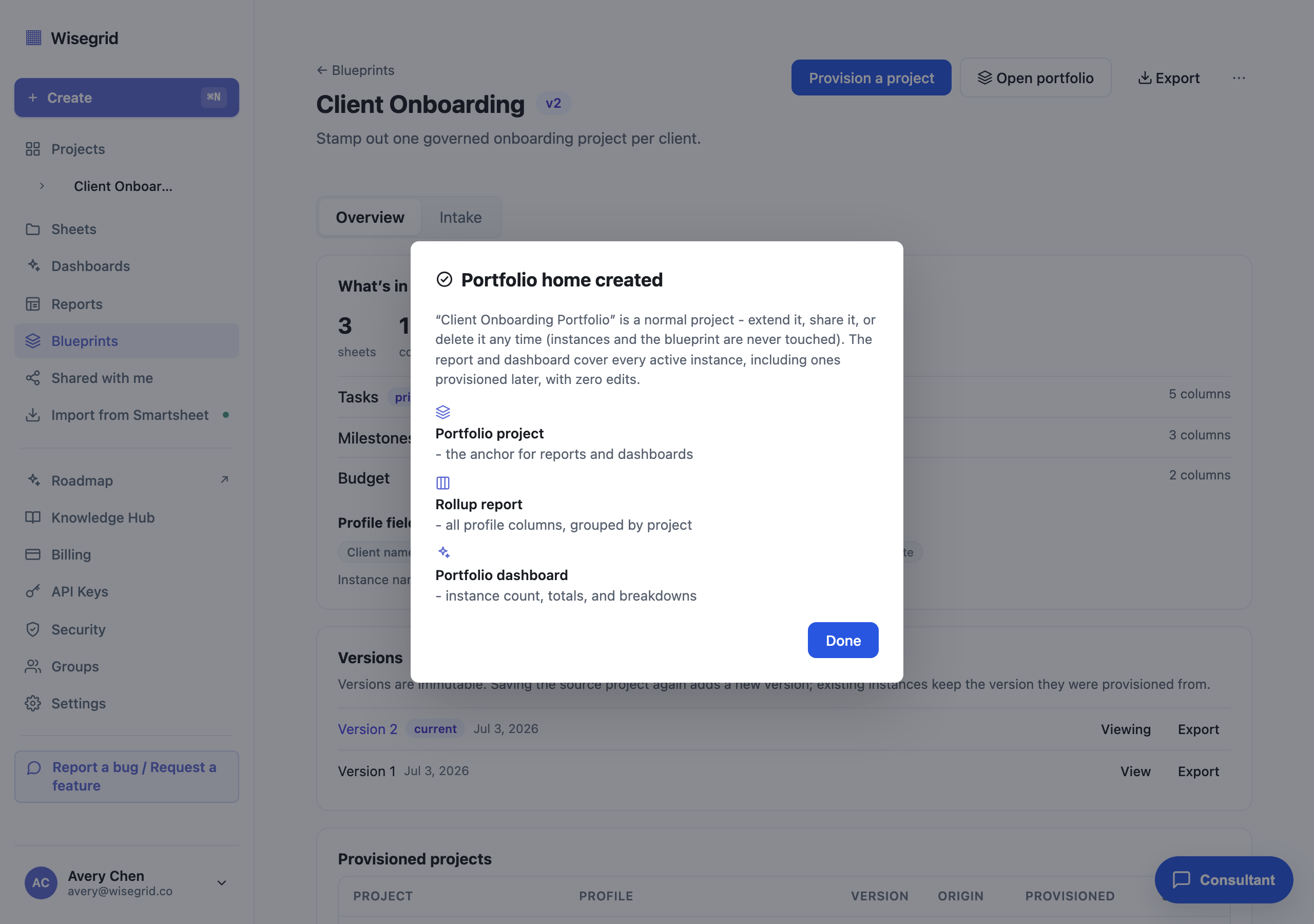
Once you have a fleet of onboarding projects, click Create portfolio on the blueprint. One click builds a portfolio project containing a rollup report over every instance (grouped by project, covering up to 200) and a dashboard with the instance count and a total per numeric profile field. New instances join the rollup automatically, with zero report edits.
Authoring portfolio rollups and Create portfolio are included. Viewing a portfolio report or dashboard someone shares with you is free and never needs a paid seat.
What you end up with
- One gold-copy onboarding project, saved as a versioned blueprint with typed profile fields and a naming pattern.
- A per-client provision flow that takes under a minute and lands a fully wired project: formulas, formatting, views, automations, dashboard, and a Project Info sheet.
- A public intake form whose submissions queue for your approval, or auto-provision with a 20-per-day guardrail.
- A registry of every instance, and one living report and dashboard across the whole client fleet.
The blueprint itself is exportable as a JSON file with no internal ids, so your factory is a file you own, not configuration trapped in our platform. Smartsheet charges for this pattern via Control Center, a sales-gated add-on; in Wisegrid it is self-serve and included in your plan.
Build it on your own data.
Start your 7-day free trial, or migrate your Smartsheet workspace with one token.