Build a scope of work in Wisegrid
A scope of work is usually a Word document that dies the day it is signed. This guide builds it as a structured sheet instead: every deliverable is a row with its acceptance criteria, milestone date, owner, and status, so the scope is also the tracker. It lives beside the project charter, a client sign-off gate holds delivered work until the client approves, and one click gives you a print-ready PDF. Everything here is included in your plan.
Build the scope of work as a structured sheet
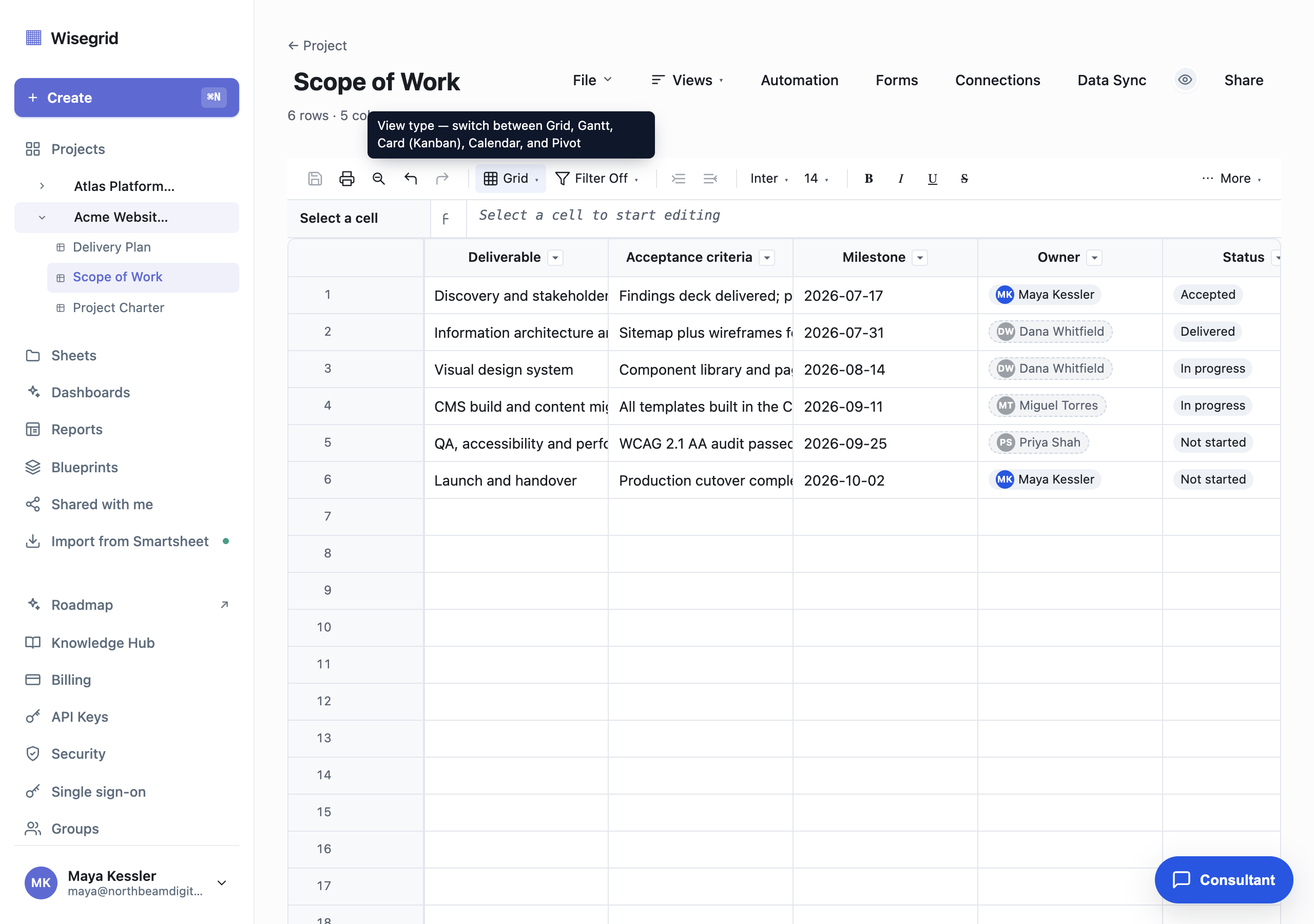
A scope of work is a list of deliverables and what "done" means for each. That is a table, so build it as a sheet: create a new sheet named Scope of Work and give each column a real type. Open Column details from a column header caret to set them:
- Deliverable: Text. One row per thing you are committing to ship.
- Acceptance criteria: Text. The concrete test that makes the deliverable "accepted", not a vague adjective.
- Milestone: Date. When it is due.
- Owner: Contact. Who is accountable.
- Status: Dropdown with
Not started,In progress,Delivered,Accepted.
Because each row carries its own acceptance criteria and status, the signed scope and the live tracker are the same object, with no static document to reconcile against a separate plan. Use the Views menu to see the same rows as a Gantt, calendar, card board, or pivot when you need a different angle.
Write acceptance criteria as something you can check off. "WCAG 2.1 AA audit passed" beats "accessible", because everyone can agree when it is true.
Keep it beside the charter in one project
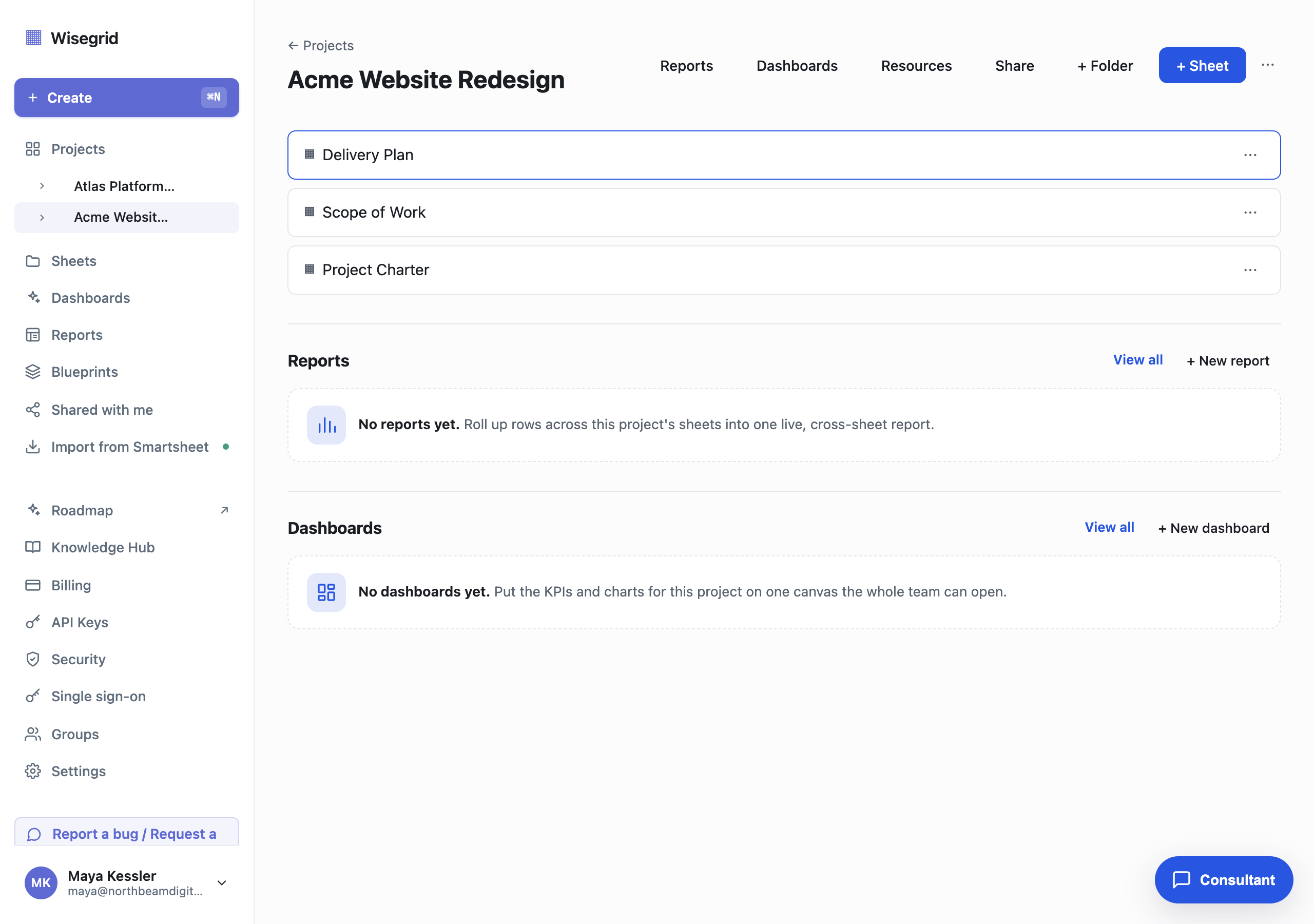
A scope of work is stronger next to the documents it depends on. Put it in a project so the whole engagement lives in one place. Open the project (or create one, for example Acme Website Redesign) and use + Sheet to add the sheets that belong together:
- A Project Charter sheet: the why, the goals, the constraints, the stakeholders.
- The Scope of Work sheet you just built: the what and the when.
- A Delivery Plan sheet: the detailed tasks that produce each deliverable.
From the project header you can then roll these up: + New report pulls rows across every sheet into one live cross-sheet view, and + New dashboard puts the KPIs and charts on one canvas the whole team can open. The scope stops being a lonely file and becomes one view of a governed project.
Gate delivered work behind a client sign-off
A scope means little if "delivered" and "accepted" are the same click. Add an automation that holds each deliverable for the client the moment it is marked delivered.
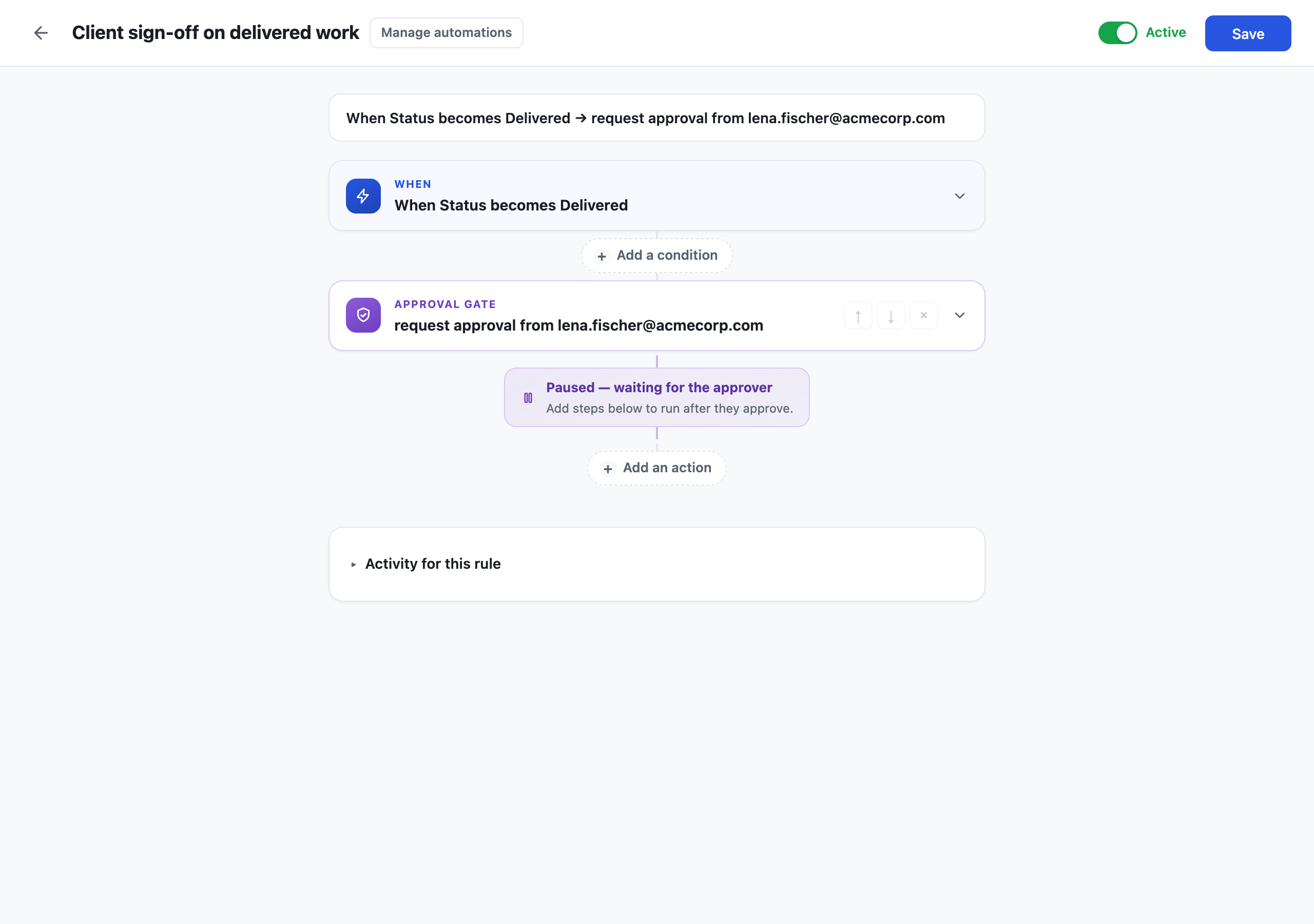
Open Automation, create a rule, and build it as one sentence:
- When:
StatusbecomesDelivered(a change trigger, so it fires the moment the owner flips the status). - Then: Request approval from the client, for example
lena.fischer@acmecorp.com.
The approval action is a gate: the rule pauses at "waiting for the approver" and holds there until the client approves or declines. Any actions you place below the gate run only after they approve, so you can, for example, flip the status to Accepted or alert the delivery owner once sign-off lands. Either way you capture explicit, timestamped client sign-off recorded against the row, instead of a "did they ever actually approve this?" email hunt.
Automations, including the approval gate, are included in your plan.
Hand it over as a print-ready PDF
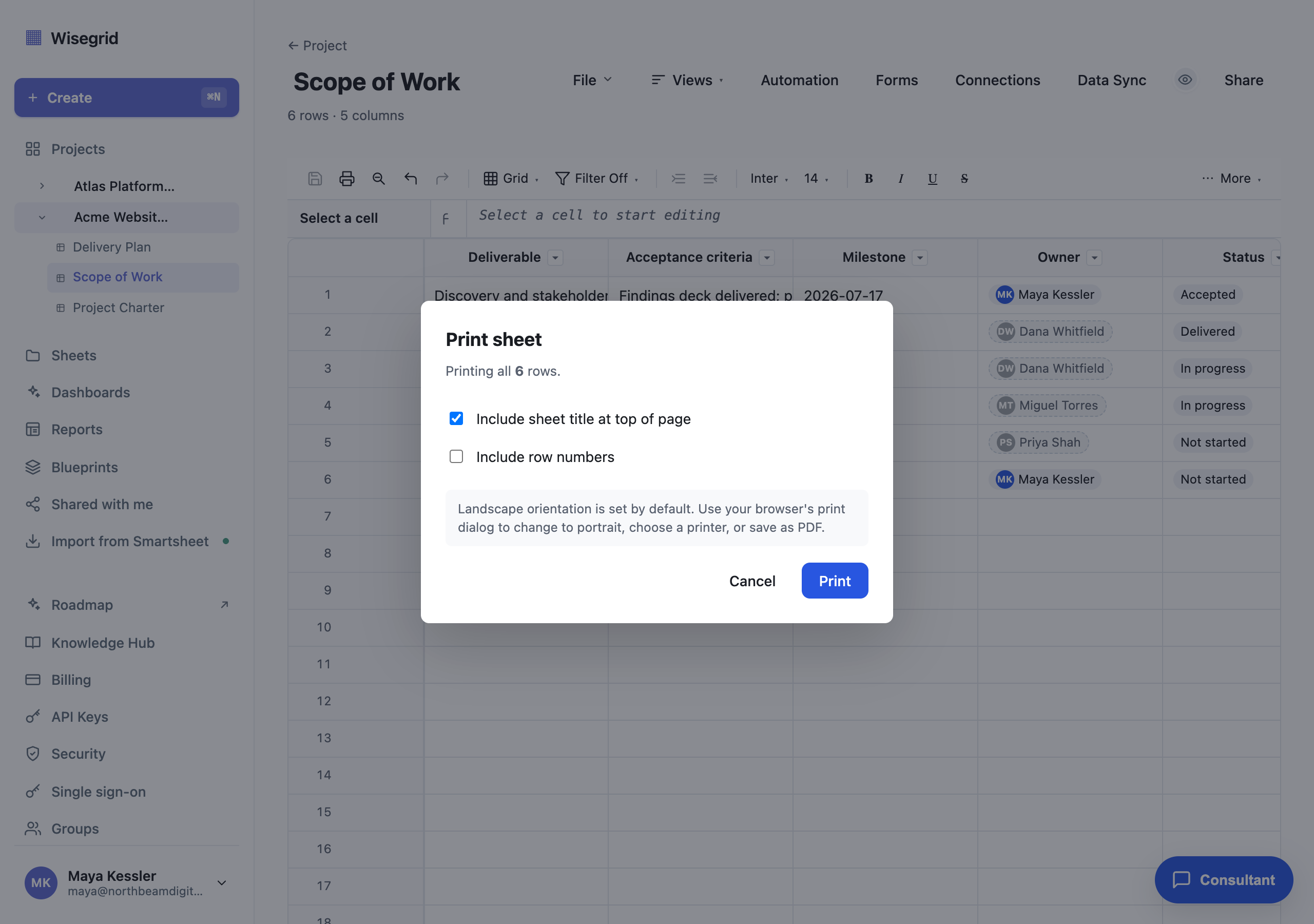
Clients still ask for "the scope document", and you do not have to leave Wisegrid to give them one. Click the printer icon in the sheet toolbar to open Print sheet:
- Keep Include sheet title at top of page on, so the printout is headed "Scope of Work".
- Toggle Include row numbers on or off depending on whether you want the rows numbered.
- The dialog confirms how many rows will print (all 6 here), or how many are visible when a filter is active.
Wisegrid sets landscape orientation by default so the wider columns fit. Click Print and your browser's own print dialog takes over, where you switch to portrait, pick a printer, or Save as PDF to attach to a proposal or email. The output is generated from the live sheet, so it is always the current scope, never a stale copy.
What you end up with
- A scope of work that is a live sheet, not a dead document: every deliverable is a row with its acceptance criteria, milestone date, owner, and status.
- The scope sitting inside a project beside the charter and delivery plan, ready to roll up into a cross-sheet report or dashboard.
- A client sign-off gate that holds each delivered item until the client approves, with the approval recorded against the row.
- A one-click, print-ready PDF straight from the live sheet, so the document you hand over is always current.
The blueprint angle: once this project (scope, charter, delivery plan, and the sign-off automation) is the shape you want, save it as a blueprint and stamp out an identical, governed copy for every new client in under a minute. See the client onboarding factory guide. Blueprints are included.
Build it on your own data.
Start your 7-day free trial, or migrate your Smartsheet workspace with one token.