By Ryan Kramer, founder of Wisegrid. Last updated June 2026.
You added a few hundred rows, or a form kept filling up, or an automation tried to copy rows into a sheet — and Smartsheet stopped you with error 5636: “You have reached the cell limit of 500,000 cells for this sheet.” Or maybe the sheet didn’t error at all: a form just quietly stopped accepting submissions, and you only found out days later.
This is a troubleshooting guide, written by someone who spent years inside Smartsheet before building an alternative. I’ll explain the symptom, the real cause, the genuine fixes (including the one Smartsheet recommends), and — honestly — when splitting your sheet is actually the right call versus when it’s just trading one problem for a worse one.
Short version up front: a normal Wisegrid sheet holds 1,000,000 cells with every feature on — more than 2× Smartsheet’s 500K, at the same $9 Pro / $19 Business pricing. That’s the answer this whole post keeps circling back to. The Smartsheet fixes below are real, but they’re remediation for a ceiling you don’t have to live with.
Key takeaways – The cap is 500,000 cells per sheet — a single number, not a separate row and column limit. It’s
rows × columns, so wide sheets hit it surprisingly early. (Smartsheet API limitations) – Error 5636 is the cell-limit rejection. It can be triggered by a person typing, by a form adding a row, or by an automation copying rows. – The cruel failure mode: a form on a full sheet can silently stop accepting submissions — the failure surfaces to the submitter, not to you. – Smartsheet does have a ~1,000,000-cell mode (“large-scale sheets”) — but it’s Enterprise-only, admin-opt-in per sheet, and turns OFF Reports, the public API, Search, mobile apps, Proofs, Pivot, form creation, and most automations. (Smartsheet large-scale sheets doc) – When splitting is fine: truly archival, cold data you rarely touch. When it hurts: live data stitched with cross-sheet references and hierarchy rollups — those have their own tight limits. – The shortcut past all of it: Wisegrid’s normal sheet holds 1,000,000 cells with every feature on — more than 2× Smartsheet’s 500K, at the same $9 Pro / $19 Business pricing. No special mode, no opt-in, nothing disabled.
The symptom: error 5636 and the silent failures
There are three ways you discover the wall:
- The explicit error. You (or an API call) try to add rows and get back
errorCode 5636: "You have reached the cell limit of 500,000 cells for this sheet."This is the clearest signal — at least you know what happened. (The 500,000-cell cap itself is documented by Smartsheet; the exact 5636 text is widely reported in their community forums.) - The automation that quietly stopped. A workflow that copies completed rows to an archive sheet, or one that generates rows on a schedule, fails when the target sheet is full. The grid looks fine; the automation just didn’t run.
- The form that stopped accepting submissions. This is the worst one, and it gets its own section below.
If you’re seeing 5636, nothing is broken or corrupted. You’ve hit a hard structural ceiling, and the question is which fix fits your situation.
The cause: 500,000 cells is rows × columns
Here’s the part that catches people off guard. Smartsheet’s limit is one number for the whole sheet, not “X rows and Y columns” separately:
“A sheet cannot exceed a total of 500,000 cells.” — Smartsheet API limitations
Because the binding constraint is rows × columns, a wide sheet runs out of room at a row count that feels absurdly low. Smartsheet’s own documentation spells out the trade-off:
“A sheet with 20,000 rows can only have 25 or fewer columns” and “a sheet with 400 columns can only have 1,250 or fewer rows.” — Smartsheet API limitations
So the math that matters for a typical operations or project tracker:
| Columns on your sheet | Maximum rows before you hit 500,000 cells |
|---|---|
| 10 | 50,000 |
| 25 | 20,000 |
| 40 | 12,500 |
| 100 | 5,000 |
| 400 | 1,250 |
A 40-column ops tracker — status, owner, dates, a row of RYG balls, a dozen formula helper columns — walls out at roughly 12,500 rows. Nobody is sitting there counting cells; the sheet just grows until one day it can’t. (That column-count-driven surprise is my read from years of building on the platform — the underlying rows × columns = 500,000 math is straight from Smartsheet’s docs above.)
This is why “500,000 sounds huge” is misleading. The cap is real-world-small the moment your sheet gets wide.
The cruel one: a form on a full sheet just stops
A Smartsheet form is, mechanically, a row-insert generator pointed at one backing sheet — “responses are added as new rows to your underlying sheet” (Smartsheet Forms FAQ). That means the form inherits the backing sheet’s 500,000-cell ceiling.
Now connect the two facts: a submission that would push the sheet past 500,000 cells cannot be written, and the failure surfaces down the form/submission path — not as a banner in front of the person who owns the sheet. The result is the failure mode I’ve watched teams discover the hard way: a public intake form that silently stops collecting responses, found days later when someone asks “where did my submissions go?”
It gets worse for high-traffic intake. Smartsheet’s own best-practices guidance for forms admits that big, busy backing sheets slow down:
“As the complexity and size of your sheet increases, you might occasionally experience a delay between when someone submits a form and when you can see their saved responses.” — Smartsheet Forms best practices
And their recommended remediation is, essentially, to start sharding: “creating separate sheet copies based on submission categories to distribute the processing load across multiple sheets” (same doc). Which leads us to the fixes.
Fix 1: split the sheet (and when that’s actually fine)
Smartsheet’s first-line answer to the cell limit is to split the sheet: archive old rows to a second sheet, or move columns out to a reference sheet and pull them back with cross-sheet formulas.
When splitting is genuinely the right call — and I mean this:
- The data you’d move off is truly cold. Closed tickets from two years ago, completed projects nobody reports on, raw log rows you keep for compliance but never touch. Archiving cold data into a separate sheet is good hygiene regardless of any cell limit. If that’s your situation, split it and move on — you don’t need a new tool.
- You don’t need formulas, rollups, or hierarchy to reach across the split. If the archive is a write-once graveyard, the split costs you nothing.
When splitting hurts — and this is most live operational data:
The moment your split data needs to stay connected — rollups, lookups, a hub sheet summarizing spoke sheets — you run into the next set of limits. Cross-sheet references in Smartsheet are their own rationed resource:
- A sheet can have no more than 100 distinct cross-sheet references. (Smartsheet API limitations)
- A single reference range caps at 100,000 inbound cells. (same)
- Hierarchy functions don’t cross sheets at all.
CHILDREN,PARENT, andANCESTORSthrow#UNSUPPORTED CROSS-SHEET FORMULAwhen they point at another sheet. (Smartsheet formula error messages)
That last one is the quiet killer. If you split a too-big sheet that uses hierarchy rollups, the rollups break — the very structure you split to preserve stops working across the boundary. So “split the sheet” trades one wall for a more fragile topology with its own ceilings. For a deeper walkthrough of these reference limits and how they bite, see our Wisegrid vs Smartsheet comparison.
Or skip the split entirely: a Wisegrid sheet holds 1,000,000 cells, so the live data you’d be sharding just stays in one place — rollups and hierarchy intact. And on the occasions you do want to split — a real hub-and-spoke layout, not a cell-count workaround — the cross-sheet references that stitch the pieces together aren’t a rationed, modal-picked object: you type =[Spoke Sheet]!A1 inline, it resolves to the live value, and it recomputes when the spoke sheet changes. (That live cross-sheet resolution shipped this month; for the full formula picture see the Wisegrid formula guide.)
Fix 2: Smartsheet’s large-scale sheets — and the feature desert
Here’s the fix most articles miss entirely. Smartsheet does offer a path past 500,000 cells. It’s called large-scale sheets (the “table” view), and it reaches up to 50,000 rows / 400 columns / 1,000,000 cells. (Smartsheet large-scale sheets doc)
So why isn’t this the obvious answer? Three reasons, all from Smartsheet’s own documentation:
- It’s Enterprise-only. Large-scale sheets are “available to Enterprise plans only.” (same doc)
- It’s admin-opt-in, per sheet. They “aren’t automatically activated”; you “must explicitly opt-in each sheet” beyond 500,000 cells, and “You must be an Admin on the sheet.” (same)
- It turns features off. This is the catch. Smartsheet states plainly: “Not all Smartsheet capabilities are supported at this level of scale at this time.”
What stops working once a sheet goes large-scale (from Smartsheet’s own unsupported list):
Reports · the public API · Search · Mobile apps · Proofs / file reviews · Pivot · Bridge workflows · Salesforce & Jira connectors · DataMesh · Resource Management · Work insights · the standard Grid view. — Smartsheet large-scale sheets doc
On top of that, **form creation is disabled on a large-scale sheet (existing forms can render and submit, but you can’t build or edit one), and automations drop to a thin subset** — only change-based triggers with a narrow action set (Update Cell, Assign People, Clear Cell, Lock/Unlock Rows) work; date-triggered, copy-row, and approval workflows aren’t supported. (same doc)
Read that list again. The teams big enough to need a million-cell sheet are exactly the teams that depend on Reports, the API, mobile, and rich automations — and those are precisely what get switched off to get there. Smartsheet’s million-cell mode is a feature desert behind an Enterprise paywall. It is technically “past the limit,” but it’s not a happy place to live.
Or skip all this: in Wisegrid, a million-cell sheet is the normal sheet — no Enterprise tier, no per-sheet opt-in, and Forms, the API, and rich automations all keep working.
Fix 3: get a higher ceiling without the trade-offs
The reason the cell limit is so painful isn’t the number — it’s the consequence model. In Smartsheet, growing past 500,000 cells means either sharding your data (and fighting the cross-sheet reference limits) or accepting the large-scale feature desert.
That consequence model is a choice, not a law of physics. I built Wisegrid so that a normal sheet holds up to 1,000,000 cells — and every feature keeps working at that size. No special mode to opt into, no admin toggle, no Enterprise contract, and nothing turned off.
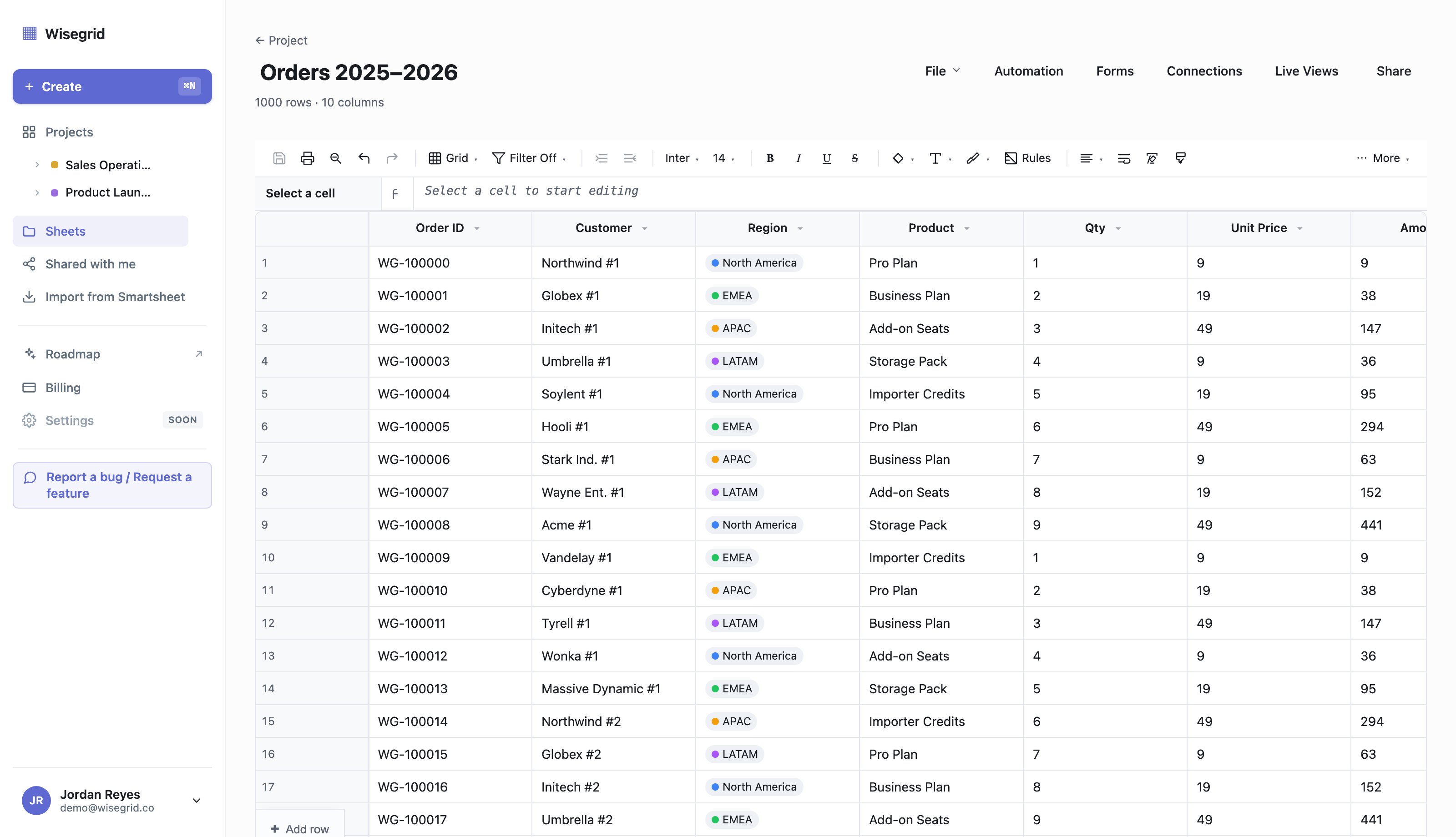
Concretely, here’s how the two models compare at the wall:
| At the limit | Smartsheet | Wisegrid |
|---|---|---|
| Normal sheet ceiling | 500,000 cells | 1,000,000 cells |
| Path past it | “Large-scale sheets” — Enterprise-only, per-sheet admin opt-in | It’s already the normal sheet |
| Reports / API / Search / Mobile past the wall | Disabled in large-scale mode | Working (Reports are on our roadmap; the rest work) |
| Build a form on the big sheet | Disabled in large-scale mode | Works |
| Automations on the big sheet | Thin subset only | Works |
| Cross-sheet references per sheet | 100 max, modal-picked {Reference Name} objects |
200 (Pro) / 500 (Business) — typed =[Sheet]!A1, resolves live & recomputes |
| Moving your data over | Manual rebuild | One-click importer (paste an API token, workspace mirrors over) |
| Concurrent edits on a busy sheet | Last-write can clobber | Conflict-safe collaboration |
I’ll be honest about what Wisegrid doesn’t have yet, because overclaiming is how you lose people who do real work: Reports and Dashboards are on our roadmap, not shipped. Native mobile apps and native connectors (Slack, Jira, Salesforce) are roadmap too — we ship a mobile-tuned web grid and outbound webhooks today. The LET and LAMBDA formula functions aren’t in yet either. But the modern lookups people actually reach for — XLOOKUP, XMATCH, INDEX/MATCH, FILTER, SORT, UNIQUE, VLOOKUP, HLOOKUP — are shipped and working, and Forms (with multi-page steps and conditional logic), Gantt with critical path, and Automations are live.
If your live, growing sheet is the problem, the honest move is to stop sharding and get a bigger ceiling that doesn’t take features away to reach it. You can see the grid in your own data for free, or paste a Smartsheet API token and watch your workspace mirror over — formulas translated, hierarchy and attachments intact. For the full step-by-step, see how to migrate off Smartsheet.
FAQ
What is the Smartsheet cell limit?
A single Smartsheet sheet cannot exceed 500,000 cells, where cells = rows × columns. There’s no separate row or column hard cap — the total cell count is the binding constraint. (Smartsheet API limitations)
What does Smartsheet error 5636 mean?
Error 5636 is the cell-limit rejection: “You have reached the cell limit of 500,000 cells for this sheet.” It fires when an action — a person typing, a form adding a row, or an automation copying rows — would push the sheet past 500,000 cells. Nothing is corrupted; you’ve hit the structural ceiling.
How many rows can a Smartsheet sheet have?
It depends entirely on how many columns you have, because the limit is on total cells. With 10 columns you can reach ~50,000 rows; with 40 columns only ~12,500; with 400 columns only ~1,250. Smartsheet’s docs give the boundary examples: 20,000 rows max at 25 columns, 1,250 rows max at 400 columns. (Smartsheet API limitations)
Can I get more than 500,000 cells in Smartsheet?
Yes, via “large-scale sheets,” which reach up to 1,000,000 cells / 50,000 rows. But the mode is Enterprise-only, must be opted into per sheet by an admin, and disables Reports, the public API, Search, mobile apps, Proofs, Pivot, and form creation, and limits automations to a thin subset. (Smartsheet large-scale sheets doc)
Why did my Smartsheet form stop accepting submissions?
The most common cause is that the form’s backing sheet hit the 500,000-cell limit. A form just adds rows to its backing sheet, so when that sheet is full, new submissions can’t be written — and the failure surfaces on the submission path rather than as an alert to the sheet owner. Check the backing sheet’s size first.
Is splitting my Smartsheet sheet a bad idea?
Not always. For truly cold, archival data you rarely touch, splitting is good hygiene. It hurts when the split data needs to stay connected: cross-sheet references are capped at 100 per sheet, ranges max at 100,000 inbound cells, and hierarchy functions (CHILDREN/PARENT/ANCESTORS) don’t work across sheets at all — so split-and-stitch breaks your rollups. (reference limits; formula errors)
How is Wisegrid’s capacity different?
A normal Wisegrid sheet holds up to 1,000,000 cells with every feature working — no special mode, no admin opt-in, no Enterprise tier, nothing disabled. Cross-sheet references run 200 (Pro) / 500 (Business) per sheet versus Smartsheet’s 100 — and they’re typed inline (=[Sheet]!A1), resolve to the live value on the other sheet, and recompute when it changes, rather than being a modal-picked named object. See the Wisegrid features overview and the full vs-Smartsheet comparison. For the cost side of growing in Smartsheet, see Smartsheet pricing, explained.
Staring at error 5636 right now?
Stop sharding your sheets. See a 1,000,000-cell grid — with Forms, Gantt, and Automations all still on — in your own data.
See the grid → · Start free → · Migrate from Smartsheet →
About the author Ryan Kramer is the founder of Wisegrid, a higher-capacity Smartsheet alternative built around a 1,000,000-cell-per-sheet grid, conflict-safe collaboration, and a one-click Smartsheet importer. He built Wisegrid out of first-hand experience hitting the walls in Smartsheet’s grid, pricing model, and capacity limits, and writes about leaving Smartsheet without losing your data. More from Ryan →