By Ryan Kramer, founder of Wisegrid. Last updated June 2026.
Most “Smartsheet vs Airtable” articles compare them as if they’re the same kind of tool and then declare a winner. They aren’t, and there isn’t one. The single most useful thing I can tell you — and the thing almost every comparison skips — is that Smartsheet and Airtable solve different problems at the data-model level. Smartsheet is a grid tool: rows and columns, formulas, hierarchy, the spreadsheet you already think in. Airtable is a relational database tool: records linked across tables, the thing you reach for when “rows in a sheet” stops describing your data.
Pick the wrong one and you’ll fight it forever. So before I bring in Wisegrid (yes, my product — I’ll be straight about where it fits and where it doesn’t), let me make the call you actually came here for: which model is your work?
I came from Smartsheet, I built a Smartsheet-style grid for a living, and I’ll tell you plainly when Airtable is the right answer and you should stop reading and go sign up for it.
Key takeaways – It’s a data-model choice, not a feature race. Smartsheet & Wisegrid are grid/row tools; Airtable is a relational/record tool. Match the model to your data first. – Choose Airtable if your data is genuinely relational — linked tables, records that reference other records, rich field types. – Choose Smartsheet (or Wisegrid) if you live in a spreadsheet — formulas, cross-sheet references, hierarchy, Gantt. – The capacity ceilings are different units: Smartsheet caps a sheet at 500,000 cells; Airtable caps a base at 50,000 records on Team / 125,000 on Business; Wisegrid holds 1,000,000 cells per sheet on its entry tier. – Wisegrid is the grid option without the wall — Smartsheet’s familiar UX, double the cell ceiling, at the same price points.
The 30-second version
- Different jobs. Airtable is a relational database wearing a spreadsheet’s clothes. Smartsheet (and Wisegrid) are spreadsheets with project-management bones. If your data has linked tables, lean Airtable. If it’s rows of work with formulas, lean grid.
- Capacity is measured in different units, so don’t compare the raw numbers naïvely. Smartsheet: 500,000 cells per sheet (hard cap). Airtable: 50,000 records per base on Team, 125,000 on Business. Wisegrid: 1,000,000 cells per sheet.
- Pricing pinch points differ. Airtable charges per editor seat and gates capacity behind tier jumps; Smartsheet’s User Subscription Model can quietly turn an editing collaborator into a billed seat. Wisegrid matches the per-user tier shape but raises the limits at each price point.
- The honest recommendation: if your work is truly relational, Airtable. If it’s a grid, Smartsheet or Wisegrid — and Wisegrid removes the 500K-cell wall without changing the price tier you’d pay.
- If you’re a grid team, Wisegrid is the short answer: Smartsheet’s familiar UX and the same
[Column]@rowformulas (nothing to relearn), double the cell ceiling, conflict-safe collaboration, and a one-click importer to bring your sheets across — at the same price points.
The thing nobody tells you: grid vs relational
This is the whole article, so I’ll spend real time on it.
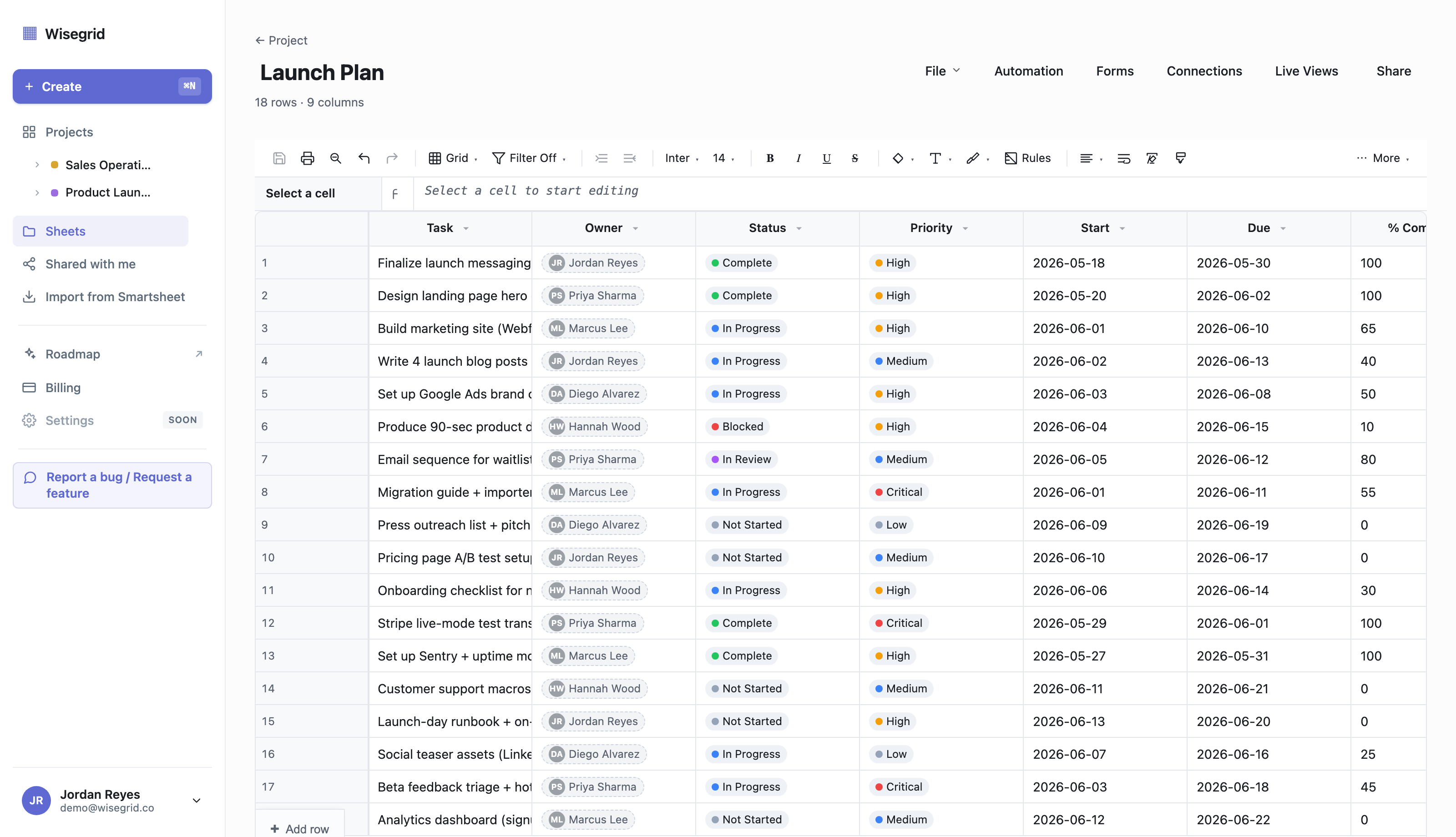
A grid tool (Smartsheet, Wisegrid, Excel, Google Sheets) thinks in rows and columns on a single surface. A row is a thing; a column is an attribute. You write formulas that reference cells (=SUM([Cost]:[Cost])), you build hierarchies by indenting rows, and when you need data from another sheet you create a cross-sheet reference. The mental model is “a smarter spreadsheet.” That’s exactly why Smartsheet wins with people who already run their work in spreadsheets — there’s no paradigm to learn.
A relational tool (Airtable) thinks in records and links between tables. A “Projects” table links to a “Tasks” table links to a “People” table; one click on a project record shows every linked task. You don’t copy a person’s name into ten rows — you link to the one Person record, and a rollup field sums their hours across the tables. The mental model is “a friendly database.” That’s genuinely more powerful for data that’s naturally relational — a CRM, an inventory system, a content calendar with linked assets.
Here’s the trap. Because Airtable looks like a spreadsheet (it has a grid view), people assume it’s a drop-in Smartsheet replacement. It isn’t. If your Smartsheet is mostly formulas, cross-sheet rollups, hierarchical task lists, and Gantt timelines, moving to Airtable means re-modeling your data as linked tables — real work, and sometimes a worse fit. Conversely, if you’re forcing genuinely relational data (the same customer’s name pasted across 4,000 rows) into a flat Smartsheet grid, Airtable will feel like a revelation.
So the first question isn’t “which tool is better.” It’s “is my data a spreadsheet or a database?” Answer that honestly and the rest of this article mostly answers itself.
Side-by-side comparison
The data below is each vendor’s own documented limits (linked in the relevant sections); the Wisegrid figures are enforced in our shipped product. We deliberately don’t publish Smartsheet’s exact subscription dollar figures — their pricing page renders in a way that isn’t reliably quotable, and we won’t print a number we can’t stand behind.
| Smartsheet | Airtable | Wisegrid | |
|---|---|---|---|
| Data model | Grid (rows / columns) | Relational (linked records across tables) | Grid (rows / columns) |
| Capacity unit | Cells per sheet | Records per base | Cells per sheet |
| Capacity ceiling | 500,000 cells/sheet (hard cap) | 50,000 records/base (Team) · 125,000 (Business) | 1,000,000 cells/sheet |
| Free-tier capacity | (see pricing note) | 1,000 records/base | Real grid, capped rows — enough to run a migration |
| Formulas & cross-sheet math | Strong (grid-native) | Field formulas + rollups across linked tables | Strong — the same [Column]@row same-row syntax as Smartsheet (nothing to relearn), plus cross-sheet =Sheet2!A1 |
| Linked-table relationships | Limited (cross-sheet references) | Best-in-class | Cross-sheet references (grid model) |
| Hierarchy (indented rows) | Yes | No (relational instead) | Yes |
| Gantt / timeline | Business tier and up | Via views / add-ons | Yes (critical path on Business) |
| Concurrent edits to one row | Last-write-wins (silent overwrite) | Real-time | Row-version conflict detection (you see a diff) |
| Pricing shape | Per-user tiers | Per-editor seat | Per-user tiers, same price points, higher limits |
| Import from Smartsheet | n/a | n/a | Paste a token, mirror your workspace |
A note on Smartsheet’s prices: we don’t list them because Smartsheet’s public pricing page is rendered in a way that’s hard to quote reliably, and we’ve seen others (including ourselves, once) burned by guessing. The structural facts above — the 500K cell cap, last-write-wins, the tier shape — are all from Smartsheet’s own documentation. For Airtable, the dollar figures are straight from airtable.com/pricing and quoted in the pricing section below.
Capacity: cells vs records vs cells (different units)
This is where naïve comparisons go wrong, because the three tools don’t measure the same thing.
Smartsheet caps a sheet at cells. A sheet “cannot exceed a total of 500,000 cells” — a single hard number, not a separate row and column limit (Smartsheet API limitations). Because the ceiling is rows × columns, a wide sheet hits it early: Smartsheet’s own docs note “a sheet with 400 columns can only have 1,250 or fewer rows,” and “a sheet with 20,000 rows can only have 25 or fewer columns.” A 40-column operations tracker runs dry at roughly 12,500 rows. We go deep on exactly what that wall feels like (and the dreaded error 5636) in Wisegrid vs Smartsheet.
Airtable caps a base at records. A record is roughly a row, but the cap is per base (a base can hold several tables). Per Airtable’s own plans documentation: Free is 1,000 records per base, Team is 50,000 records per base, Business is 125,000 records per base (Airtable plans). The unit is “records,” so column count doesn’t eat into your ceiling the way it does in Smartsheet — but you’re capped on rows-equivalent across the whole base, and lifting that cap is the main reason to climb tiers.
Wisegrid caps a sheet at cells, too — at 1,000,000. That’s twice Smartsheet’s hard cap, and it’s a normal sheet on our entry (Pro) tier, with Forms, Gantt, Automations, and cross-sheet references all working at that size. There’s no separate “large-scale mode” that turns features off to get there.
The honest reading of these three numbers:
- If your work is wide and deep grid data (lots of rows × lots of columns of formulas), Smartsheet’s 500K-cell ceiling is the one that bites first, and Wisegrid’s 1M-cell sheet is the direct fix.
- If your work is many records but modest columns, Airtable’s record cap is the relevant one — and at 50,000 (Team) / 125,000 (Business) records per base, it’s a real ceiling you can plan around, just measured differently.
- Don’t compare “500,000 cells” to “50,000 records” as if they’re the same yardstick. A 50,000-record Airtable base with 30 fields is ~1.5M cell-equivalents; a 500,000-cell Smartsheet sheet with 40 columns is ~12,500 rows. Always convert to the unit your data actually lives in before you decide.
Pricing model: where each one charges you
Both Airtable and Smartsheet charge per seat, but the shape of the pain differs.
Airtable is per-editor-seat: read-only collaborators and form submitters are free, but every editor is a paid seat. Per airtable.com/pricing: Free is $0 (“all users are free”), Team is $20/user/month billed annually, Business is $45/user/month billed annually, and Enterprise Scale is custom. The jump from Team to Business is a 2.25× per-seat increase, and a big part of what you’re buying with it is the lift from 50,000 to 125,000 records per base. So with Airtable you can get squeezed on two axes at once — seats and the record cap.
Smartsheet charges per user across Pro / Business / Enterprise tiers. The cost mechanic that drives the most switching isn’t the sticker price — it’s the User Subscription Model: a free Contributor who edits a shared item can trigger “provisional membership,” which converts to a billable seat at the next true-up unless an admin downgrades it in time. It’s a recurring chore and a source of surprise charges. (We cover the mechanism, with Smartsheet’s own wording, in Wisegrid vs Smartsheet.)
Wisegrid uses per-user tiers at the same price points as Smartsheet — $9/user/month Pro, $19/user/month Business — and raises the limits at each one (1,000,000 cells per sheet, 200 cross-sheet references on Pro / 500 on Business). The wedge is “same price you already pay, more of everything” — value-per-dollar, not a discount play, and no editing-triggered seat surprises.
Net: if pure relational power justifies it, Airtable’s pricing is what it is. If you’re a grid team, you shouldn’t have to pay the Team→Business jump (or fight the USM true-up) just to keep your data — that’s the case Wisegrid exists to make.
Modeling the same dataset three ways
It’s worth picturing how the same data lands in each tool, because it makes the data-model choice concrete. Take a simple “marketing campaigns” dataset — campaigns, the tasks under each, and the people assigned.
- In Smartsheet (grid): one sheet, with tasks indented as child rows under each campaign. The owner’s name is typed into each row (or pulled with a cross-sheet reference to a roster sheet). Rollups use
SUM/COUNTover child rows. Familiar, fast to build, but the person’s name is duplicated across every row they own. - In Airtable (relational): three tables — Campaigns, Tasks, People — linked together. A Task links to one Campaign and one Person; change a person’s title once and it updates everywhere; a rollup field on Campaigns sums linked Task hours automatically. No duplication, but you had to design the schema first.
- In Wisegrid (grid): identical to the Smartsheet model — indented task rows, cross-sheet reference to the roster, formula rollups — because Wisegrid is deliberately the same mental model. The difference shows up at scale: the same sheet keeps going past 500,000 cells without splitting.
That’s the whole decision in miniature: Airtable rewards you for modeling relationships up front; the grid tools reward you for not having to. Neither is “better” — they’re better at different shapes of work.
Choose Airtable if…
I mean this — if these describe you, Airtable is the right tool and you should use it:
- Your data is genuinely relational: records in one table reference records in another (projects↔tasks↔people, products↔orders↔customers).
- You want linked records, rollups across tables, and rich field types (attachments, multi-selects, linked lookups) more than spreadsheet formulas.
- You’re building something closer to a lightweight app or database than a tracker — a CRM, an inventory system, a content pipeline with linked assets.
- You don’t mind designing a schema before you start, and your row-equivalent counts fit inside the per-base record caps (1,000 free / 50,000 Team / 125,000 Business).
If that’s you, stop here. Airtable is excellent at the job it’s built for, and a grid tool — Smartsheet or Wisegrid — will feel like a downgrade for relational work.
Choose Smartsheet if…
- You live in a spreadsheet grid: rows of work, columns of attributes, formulas, indented hierarchy, Gantt timelines.
- You need Smartsheet’s mature ecosystem today — Reports, Dashboards, native mobile apps, and its deep integration catalog (Jira, Salesforce, and more), which are areas where Smartsheet is genuinely ahead of a newer grid tool.
- You’re already deep in Smartsheet, your sheets are comfortably under the 500,000-cell ceiling, and the User Subscription Model billing doesn’t bother you.
- Enterprise governance (SSO/SAML, deep admin controls) on Smartsheet’s Enterprise tier is a hard requirement right now.
If you’re a grid team that’s happy and under the cap, there may be no reason to move at all. The reason to look further is usually the wall.
Choose Wisegrid if…
- You’re a grid team (so Airtable’s relational model is the wrong shape) but you’ve hit or you fear Smartsheet’s 500,000-cell wall. Wisegrid is the same mental model with a 1,000,000-cell sheet on the entry tier.
- You’ve lost an edit to a silent overwrite and want conflict detection — Wisegrid checks the row version on every save and shows a diff instead of clobbering a teammate, where Smartsheet is last-write-wins.
- You want predictable, value-per-dollar pricing at the same tier prices you’d pay Smartsheet, without editing-triggered seat true-ups.
- You want to move without rebuilding — paste a Smartsheet API token and Wisegrid mirrors your sheets, rows, columns, formulas (translated to standard syntax), attachments, hierarchy, and cross-sheet references. Smartsheet’s own export is lossy (formulas drop to values, attachments and groupings are excluded), so the importer is the path that actually preserves your work.
Be honest about our gaps: Reports, Dashboards, native mobile apps, and native third-party connectors aren’t built yet. The modern Excel lookups — XLOOKUP, XMATCH, INDEX/MATCH, FILTER, SORT, UNIQUE, plus VLOOKUP/HLOOKUP — are shipped; LET and LAMBDA are not. If Reports or a specific connector are core to your day, weigh that before switching.
If “I want Smartsheet’s grid, but without the 500K-cell wall, the silent overwrites, and the seat surprises — and I don’t want to re-model my data as a relational database” describes you, that’s exactly the gap Wisegrid was built for.
See the grid in your own data →
FAQ
Is Airtable better than Smartsheet?
Neither is universally better — they’re different tools. Airtable is a relational database (linked tables, records, rollups across tables); Smartsheet is a spreadsheet grid (rows, columns, formulas, hierarchy, Gantt). Airtable wins for genuinely relational data; Smartsheet wins for spreadsheet-shaped work. Decide by your data model, not by feature counts.
What is Airtable’s record limit?
Per Airtable’s own plans documentation: 1,000 records per base on Free, 50,000 records per base on Team, and 125,000 records per base on Business; Enterprise Scale is custom (Airtable plans). Note the unit is records per base, not cells — it’s a different yardstick from Smartsheet’s 500,000-cell-per-sheet cap.
Can Airtable replace Smartsheet?
Only if your work is relational. If your Smartsheet is mostly formulas, cross-sheet rollups, hierarchical task lists, and Gantt charts, moving to Airtable means re-modeling that as linked tables — sometimes worthwhile, often a worse fit. If you want a like-for-like grid without re-modeling, a grid-native option like Wisegrid is the closer swap. See our full Smartsheet alternatives breakdown.
How does Smartsheet vs Airtable pricing compare?
Both charge per editor seat. Airtable’s published figures are $20/user/month (Team) and $45/user/month (Business), billed annually, with the Team→Business jump largely buying a higher record cap (airtable.com/pricing). We don’t publish Smartsheet’s dollar figures because their pricing page isn’t reliably quotable; the cost mechanic that surprises most Smartsheet teams is the User Subscription Model’s seat true-ups, not the sticker price.
Where does Wisegrid fit in the Smartsheet vs Airtable choice?
Wisegrid is the grid option — same data model as Smartsheet (not Airtable’s relational one) — built to remove Smartsheet’s 500,000-cell wall (Wisegrid holds 1,000,000 cells per sheet) and its silent-overwrite behavior, at the same price tiers. It’s the right pick when your data is a spreadsheet, not a database, and you’ve outgrown Smartsheet’s ceiling. If you’re moving, the migration guide shows how the importer brings your sheets across.
Which scales best for large datasets?
It depends on the shape. For wide-and-deep grid data, Smartsheet caps a sheet at 500,000 cells and Wisegrid at 1,000,000. For record-heavy relational data, Airtable caps a base at 50,000 (Team) / 125,000 (Business) records. Convert your data to the right unit before comparing — a 50,000-record Airtable base with many fields can exceed a million cell-equivalents, while a 500,000-cell Smartsheet sheet is only ~12,500 rows at 40 columns.
Want the grid, without the wall?
If your data is a spreadsheet (not a relational database) and you’ve outgrown Smartsheet’s 500,000-cell ceiling, Wisegrid is the like-for-like swap — same UX, double the cells, same price points. Start free, or paste your Smartsheet token and watch your workspace migrate.
Start free → · See all Smartsheet alternatives → · How to migrate off Smartsheet →
About the author Ryan Kramer is the founder of Wisegrid, a higher-capacity Smartsheet alternative built around a 1,000,000-cell-per-sheet grid, conflict-safe collaboration, and a one-click Smartsheet importer. He built Wisegrid out of first-hand experience hitting the walls in Smartsheet’s grid, pricing model, and capacity limits, and writes about leaving Smartsheet without losing your data. More from Ryan →